
TSN Rent a Car, car rental platform from start to finish
A website with online booking by day or hour, an account where the client pays and signs the contract online, and a dashboard where the manager collects payments, tracks today's activity, and manages the fleet, offers, and contracts. Built entirely by TSN Media.
Click any screenshot to view it larger
Public site
Categories, booking by day or hour, fixed-price packages, and discount codes.
See the site → 02Client account
Bookings, online payments, online contract signing, changes, and documents.
See the account → 03Manager dashboard
Today's activity on your phone, payments, contracts with proof, fleet, and offers.
See the dashboard →Public website: from search to booking
Everything a new client sees before booking, designed to get them to payment in under 5 minutes
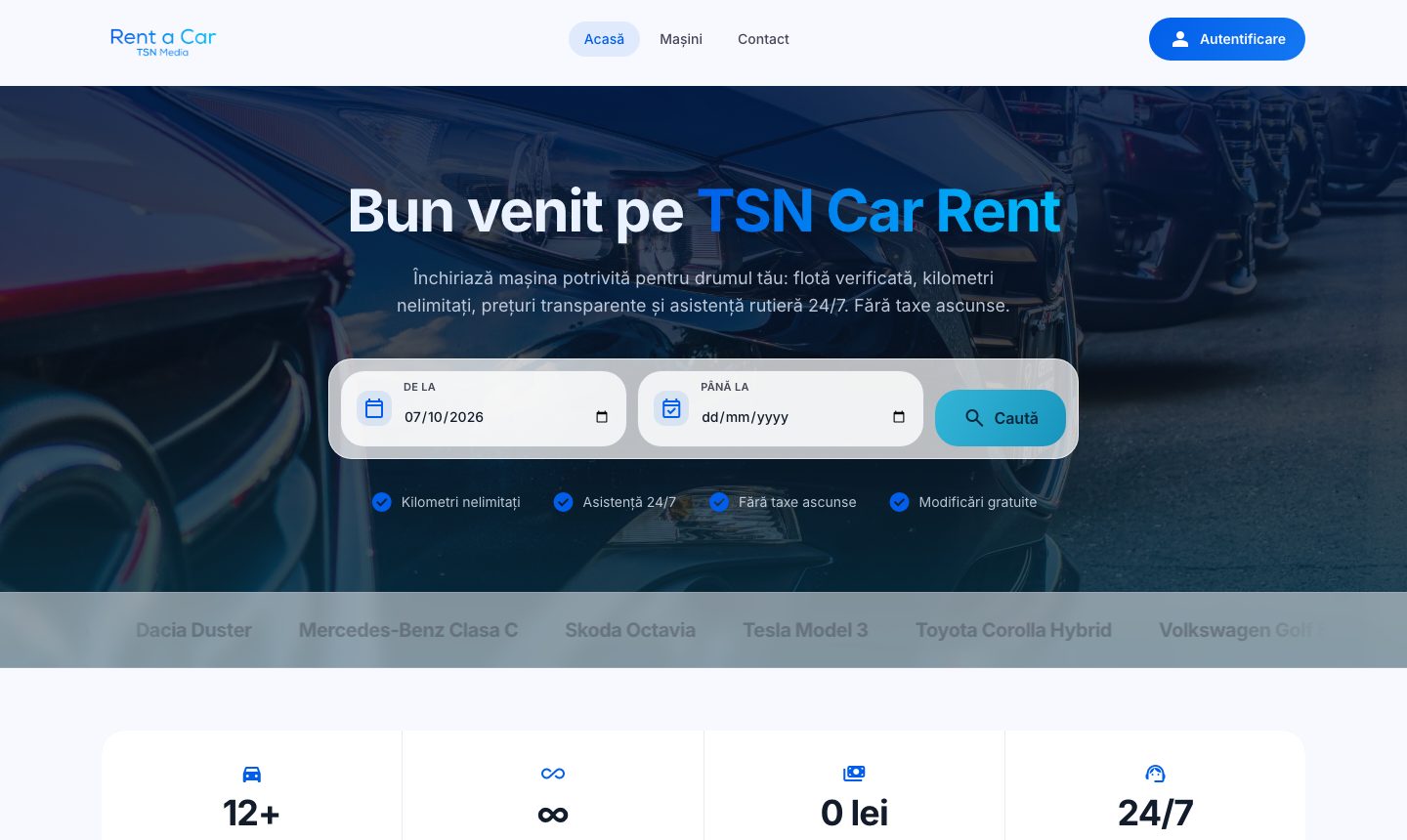
Homepage that leads straight to booking
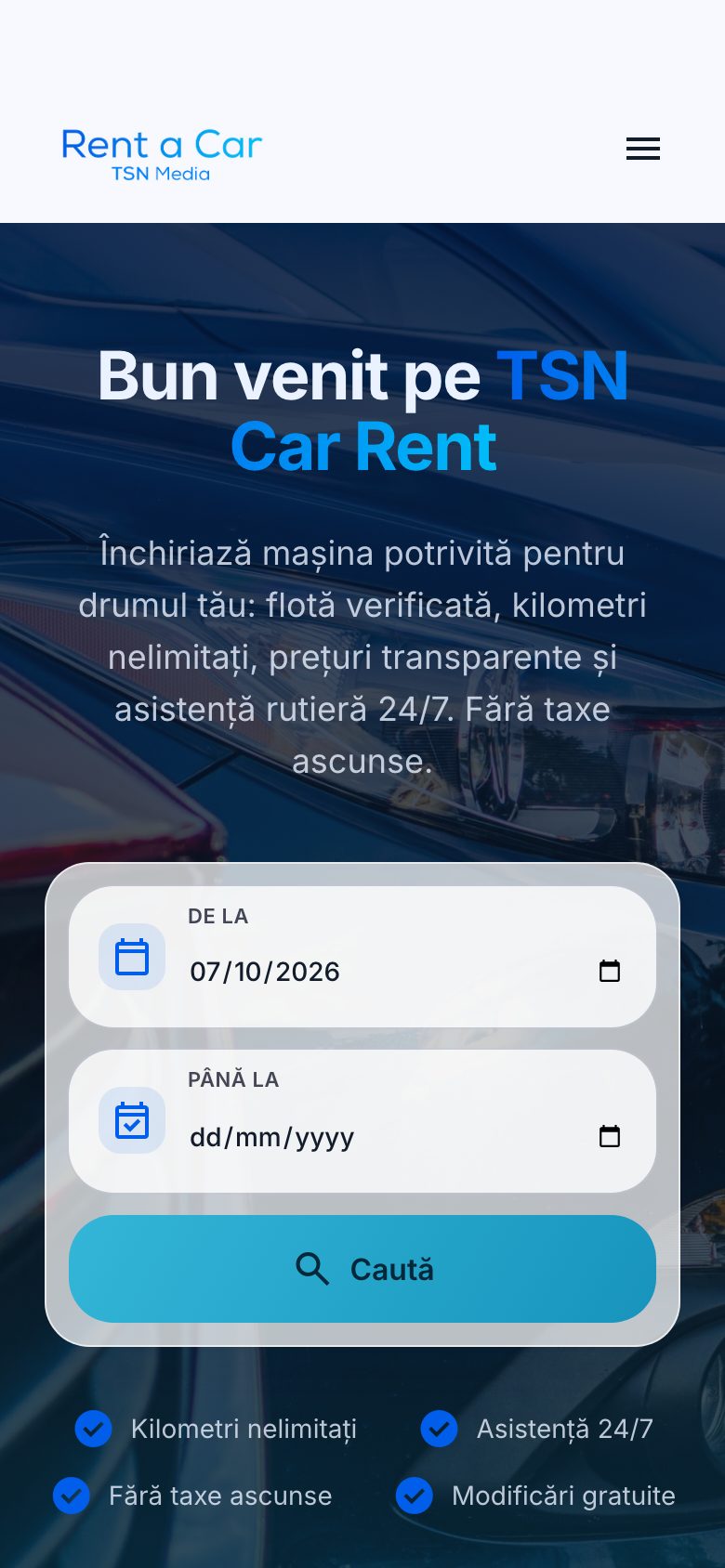
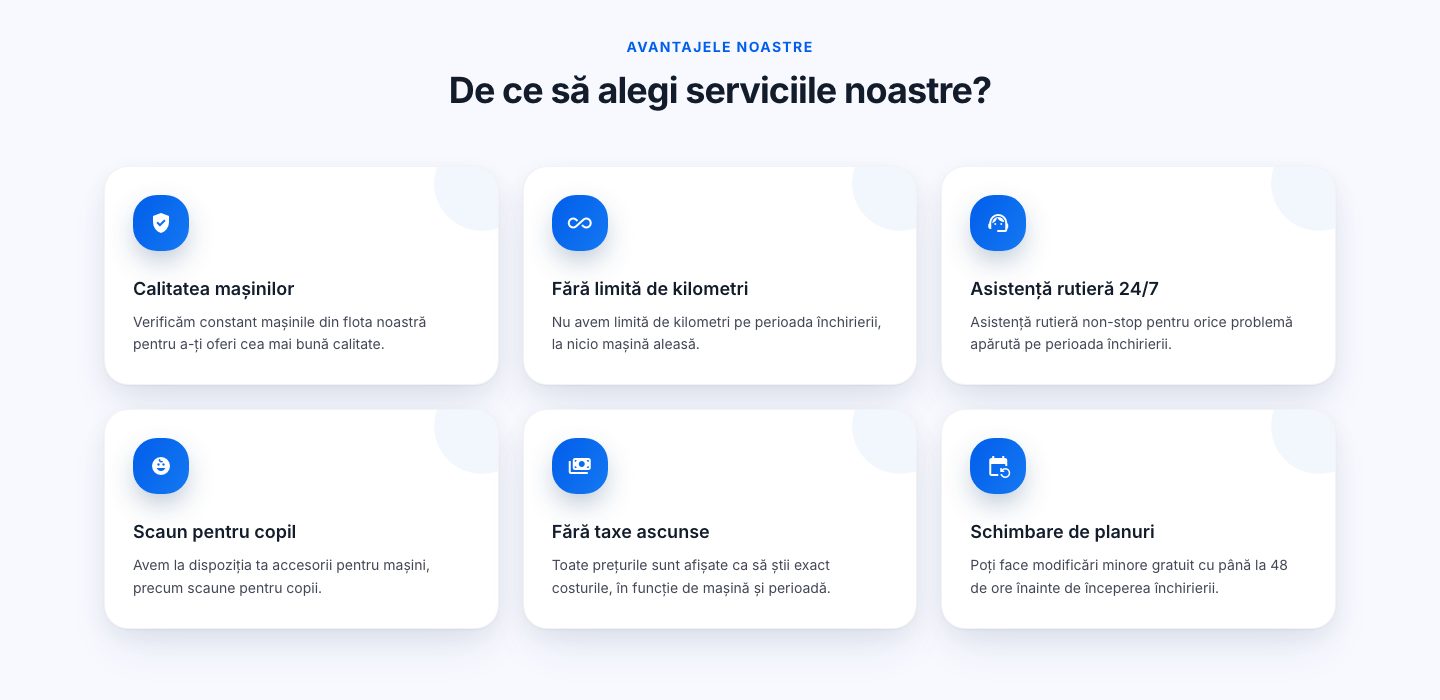
The visitor selects the rental period right on the first screen and instantly sees which cars are available. Below the hero, they find service benefits, the recommended fleet, and client reviews—all managed from the dashboard.
- Period search right from the first section
- Clear benefits: unlimited mileage, 24/7 assistance, no hidden fees
- Recommended cars and editable reviews from the dashboard
sitemap.xmlandrobots.txtgenerated automatically, fast mobile pages
Fleet, with filters and real-time availability
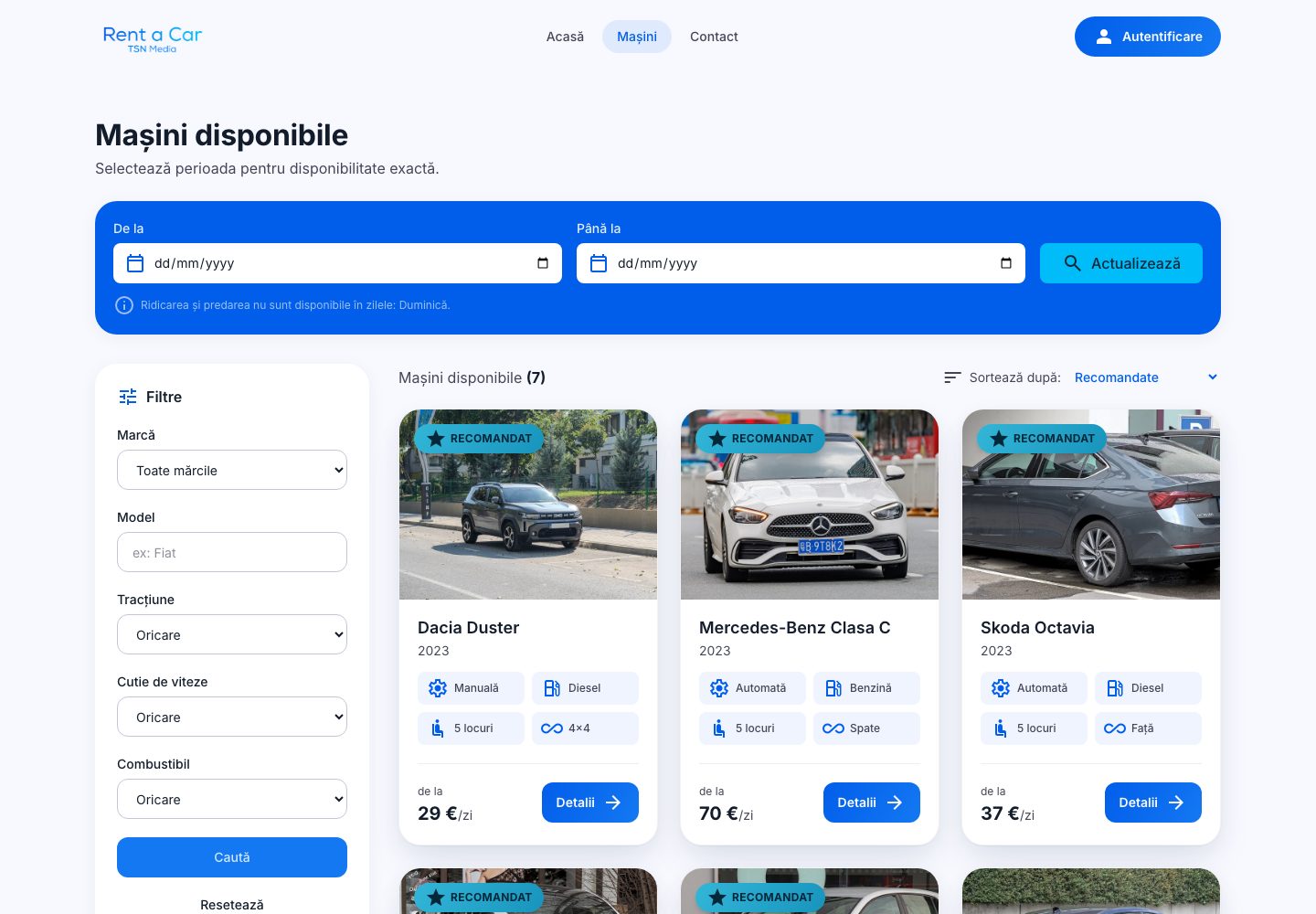
The car list updates based on the selected period and only shows what can be booked. Clients filter by brand, model, drivetrain, gearbox, or fuel type, and sort by price or recommendations.
- Quick filters and sorting, no page reloads
- “From” price shown in euros, per day
- “Recommended” tags set from the dashboard
Each car’s page, with calendar and duration-based rates
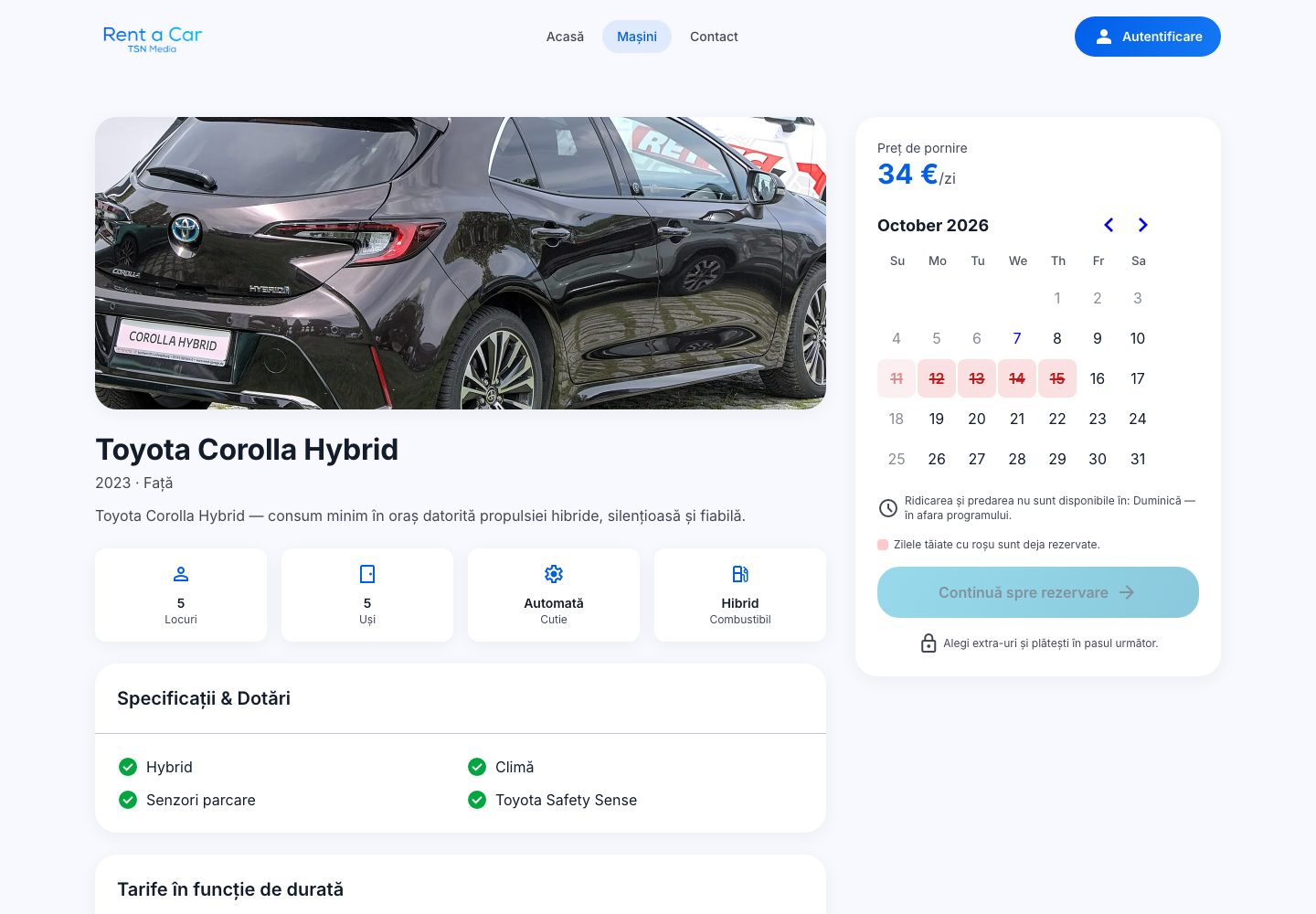
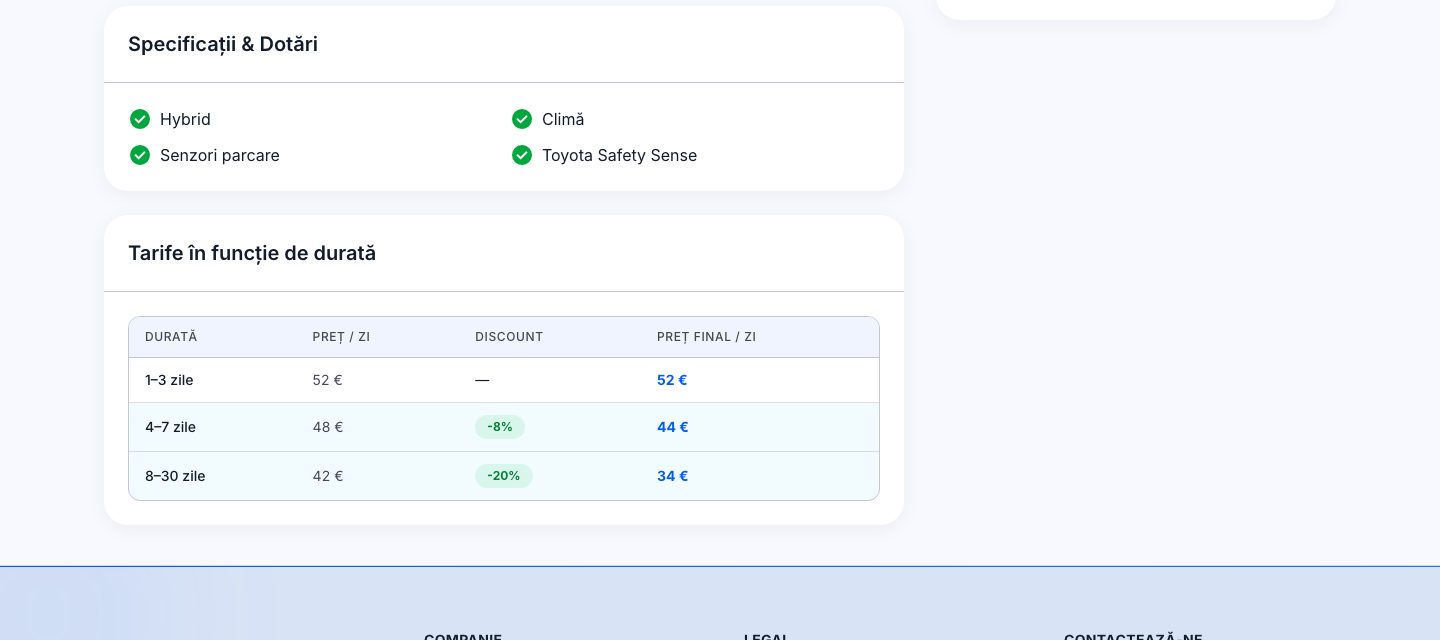
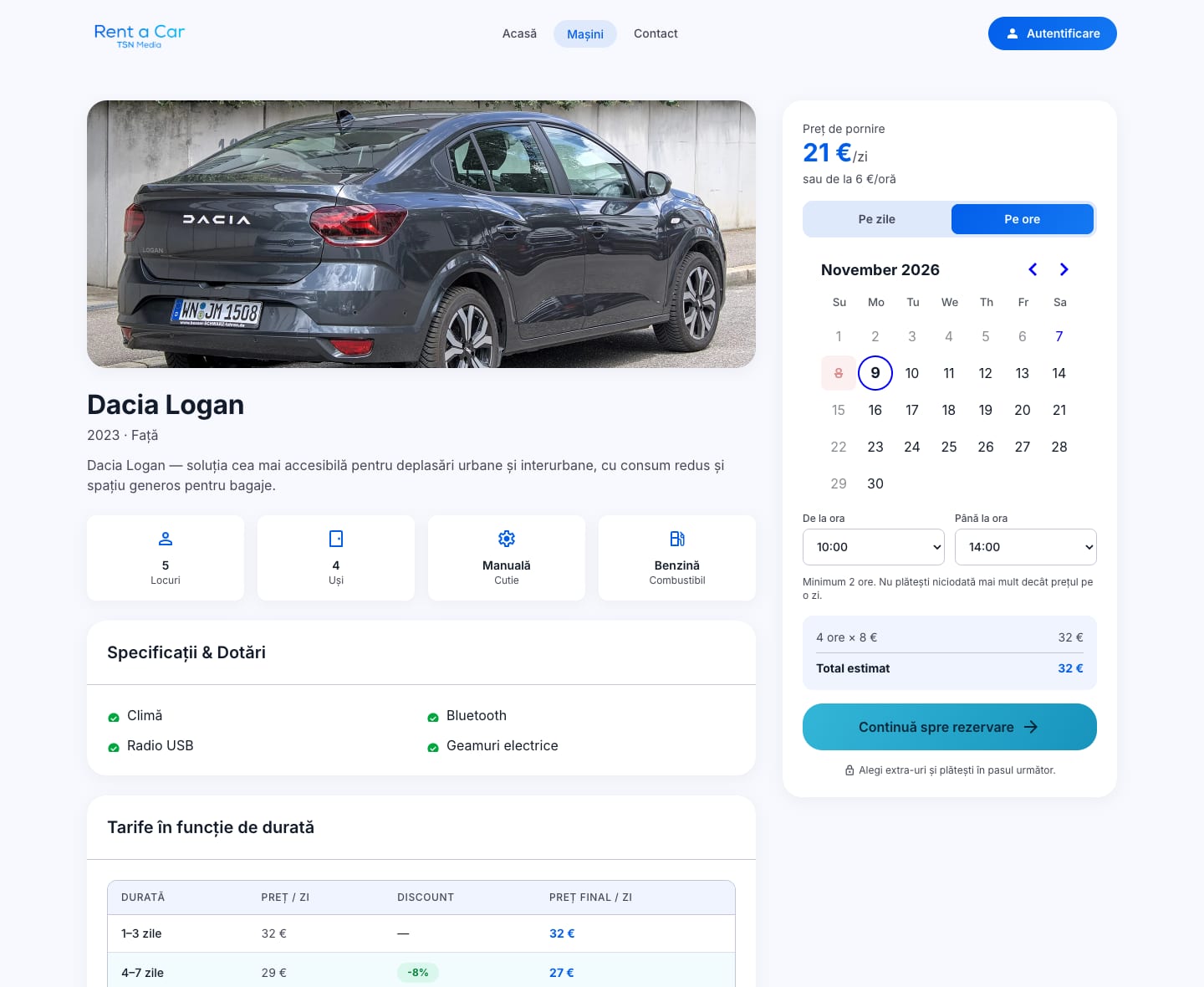
Every car has a gallery, specs, features, and a calendar where already booked days are marked in red. Rates drop automatically for longer rentals, and the pickup/drop-off schedule is reflected in the calendar.
- Day-by-day availability calendar
- Automatic duration discount (e.g. −8% for 4–7 days, −20% for 8–30 days)
- Days and hours when pickup isn’t possible are blocked automatically
3-step booking, with instant price calculation
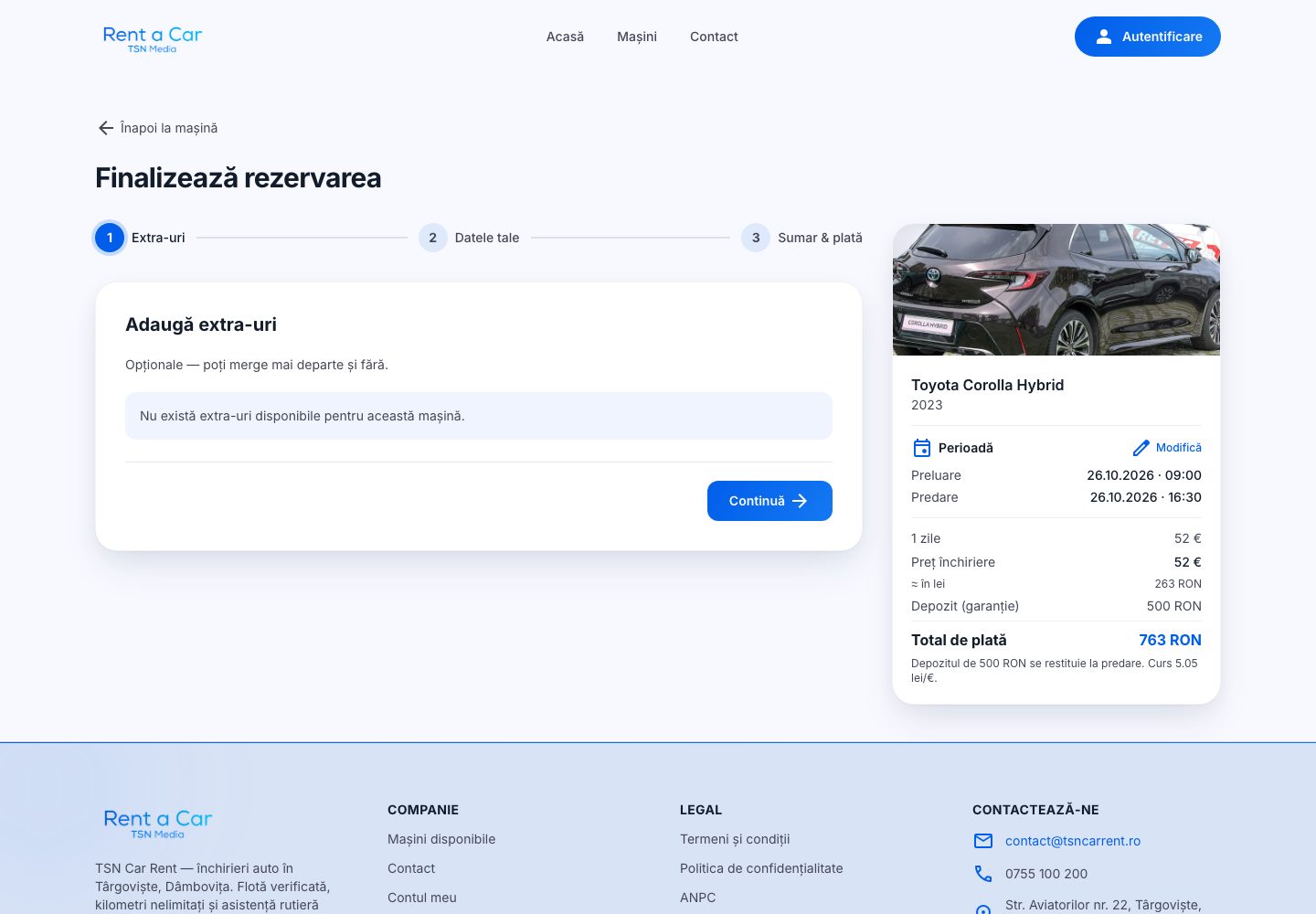
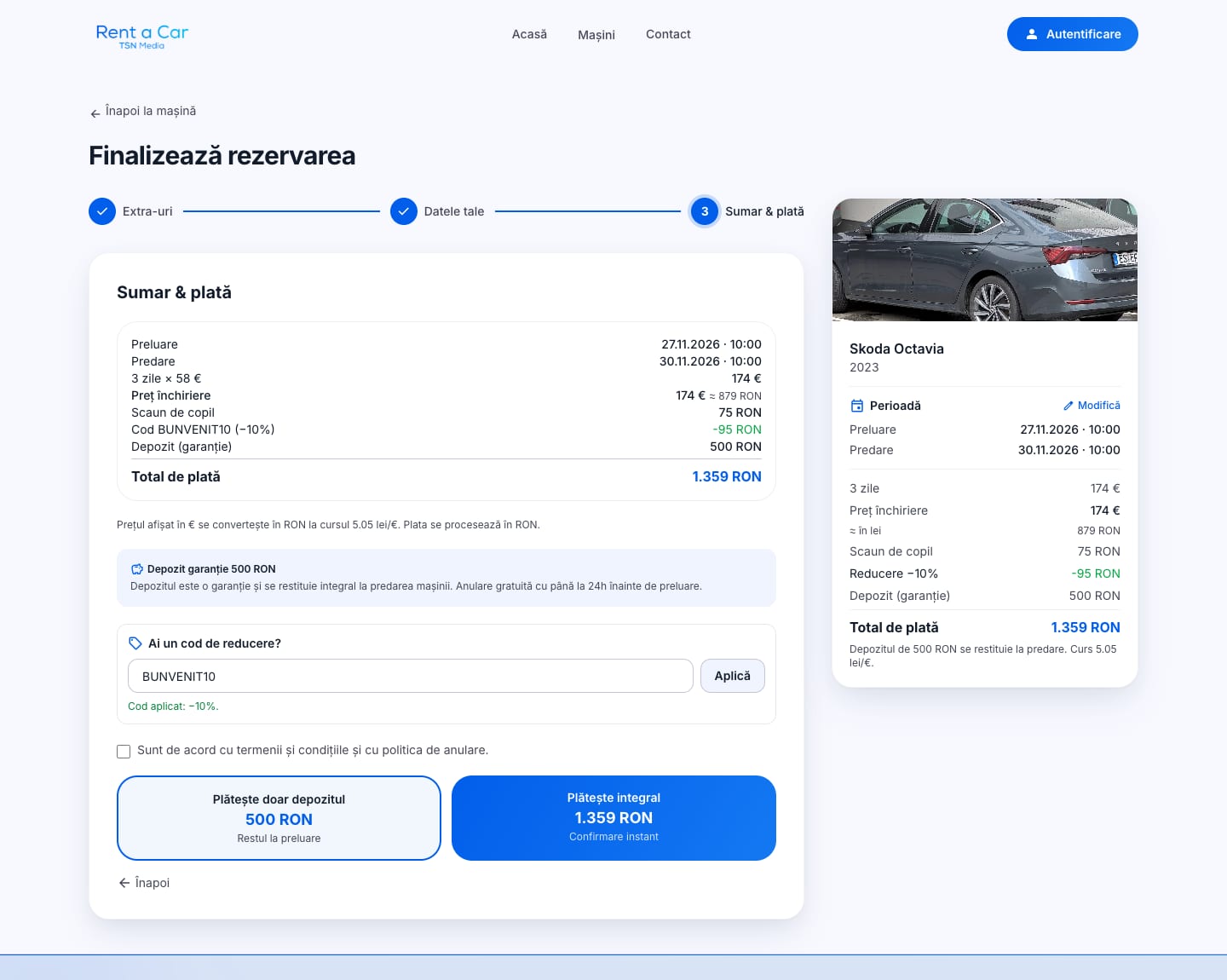
Extras, client details, then a summary with payment. Throughout, the client sees the period, pickup and drop-off times, rental price, deposit, and total to pay, in both euros and lei, at a configurable rate from the dashboard.
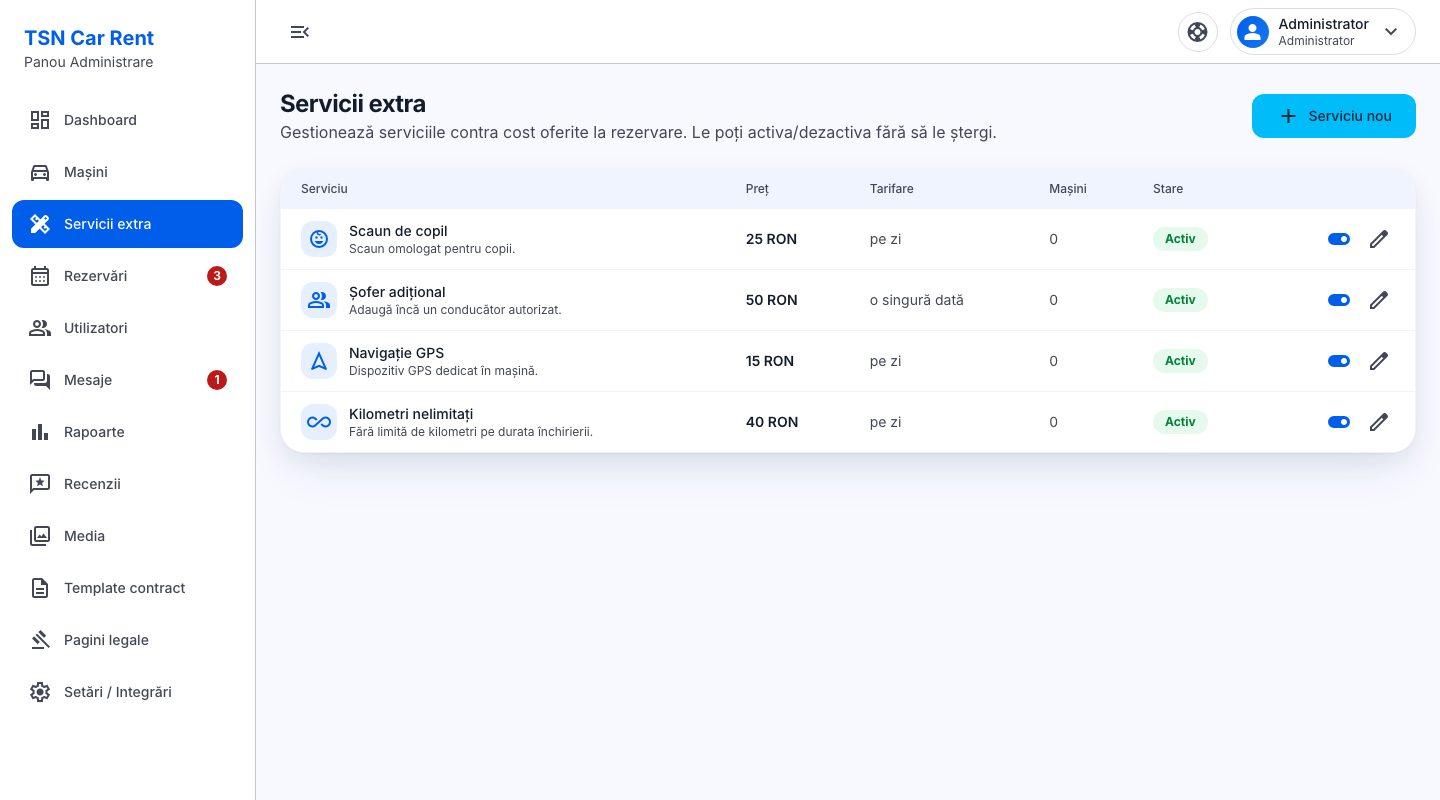
- Optional extras (GPS, child seat, additional driver, unlimited mileage)
- Deposit calculated separately and refunded at drop-off
- Secure online payment via Netopia, email confirmation
Categories and pages found on Google
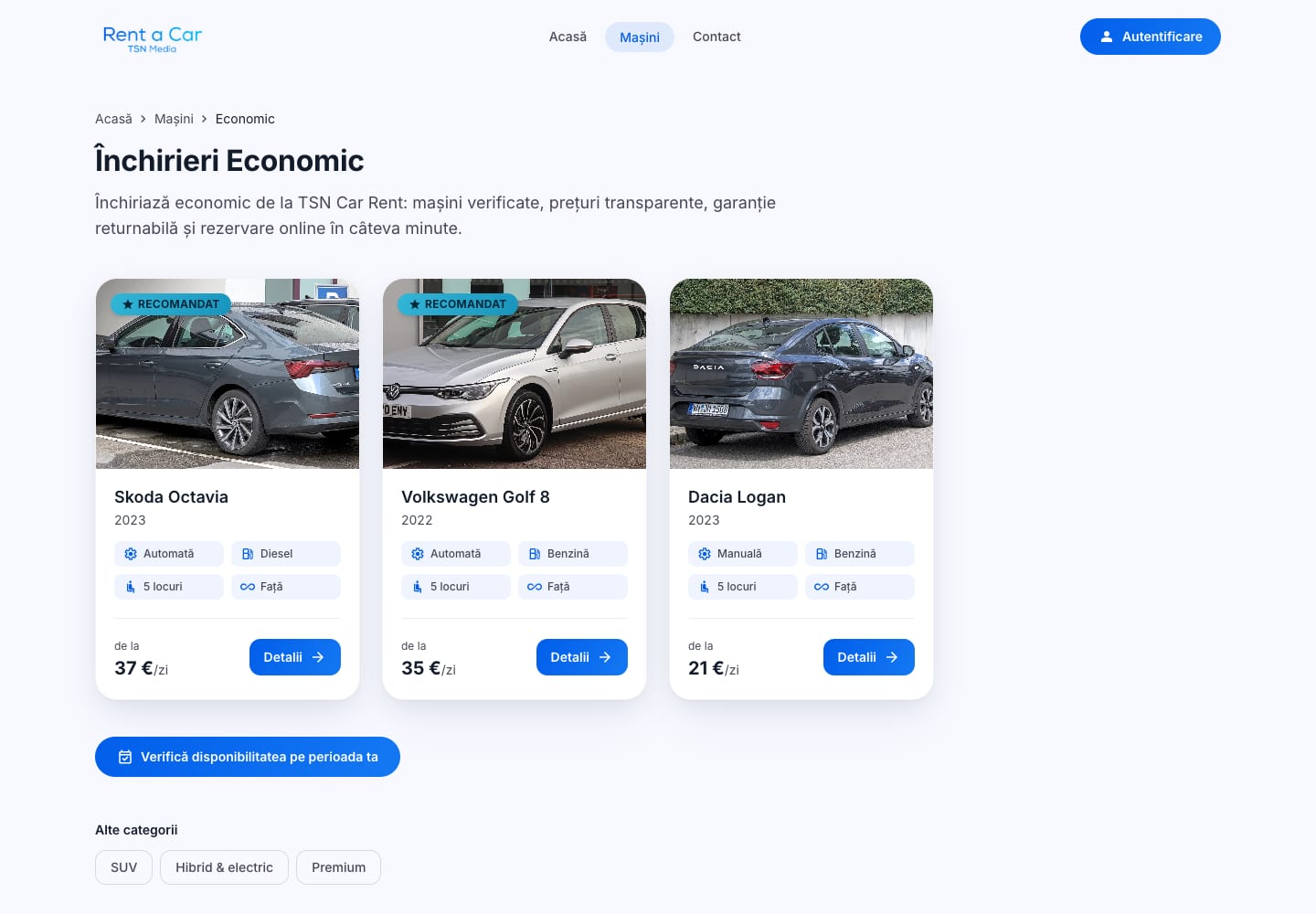
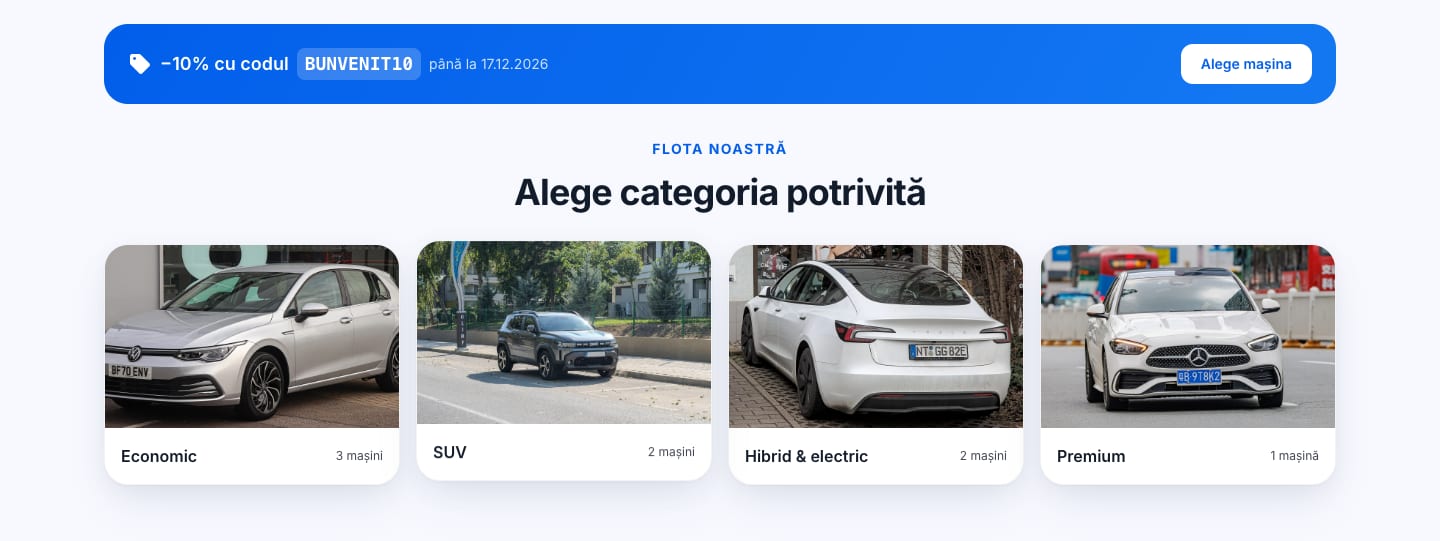
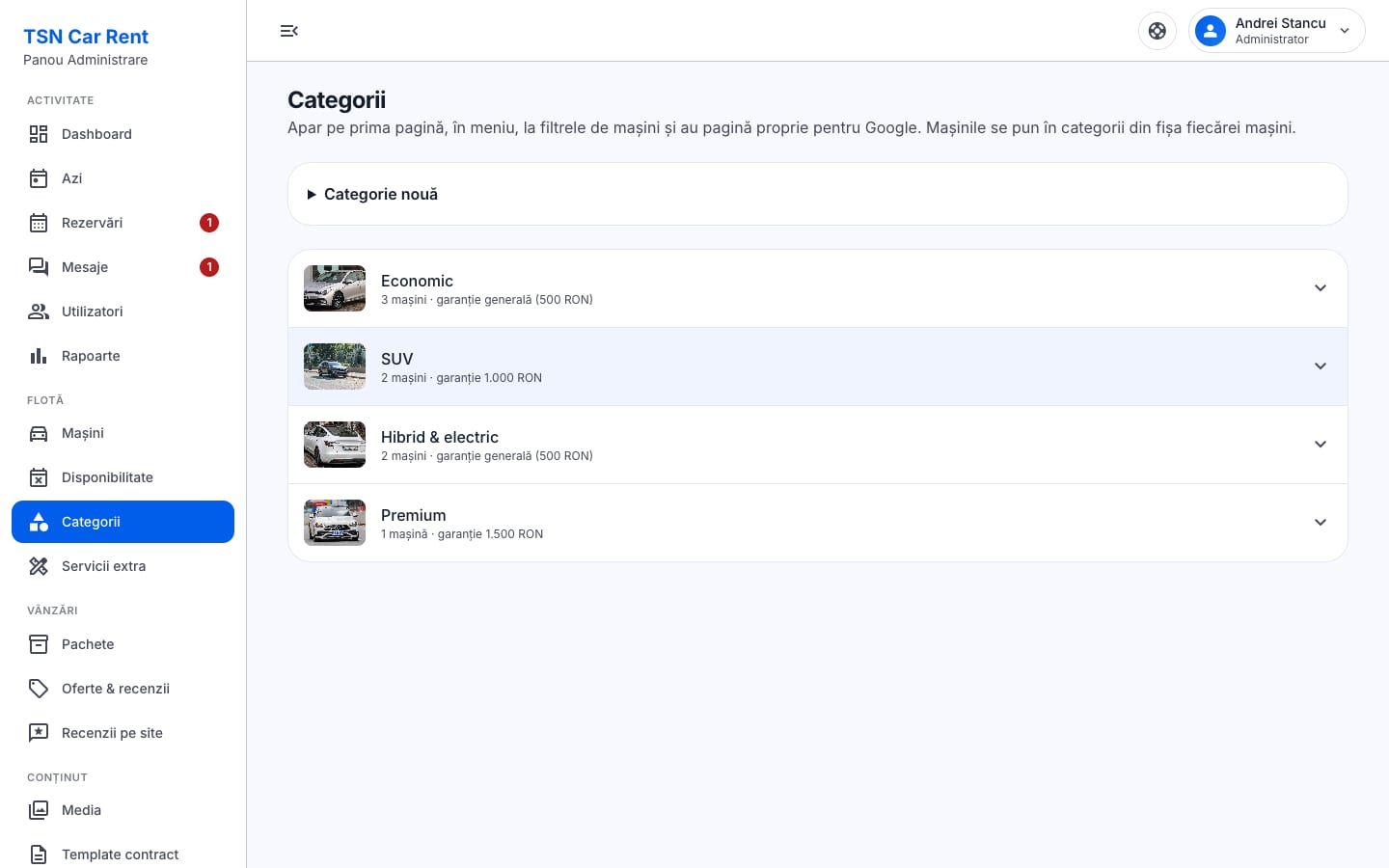
The fleet is grouped by categories (Economic, SUV, Hybrid & Electric, Premium), managed from the dashboard. Each category appears on the homepage, in the menu, and as a filter, and has its own page, designed to show up in Google searches like “SUV rentals”.
- Categories with image, order, and their own deposit
- Page for each category, with title and description for Google, included in the sitemap
- Structured data for Google: company, cars with daily price, and navigation
Rent by day, by hour, or as a package
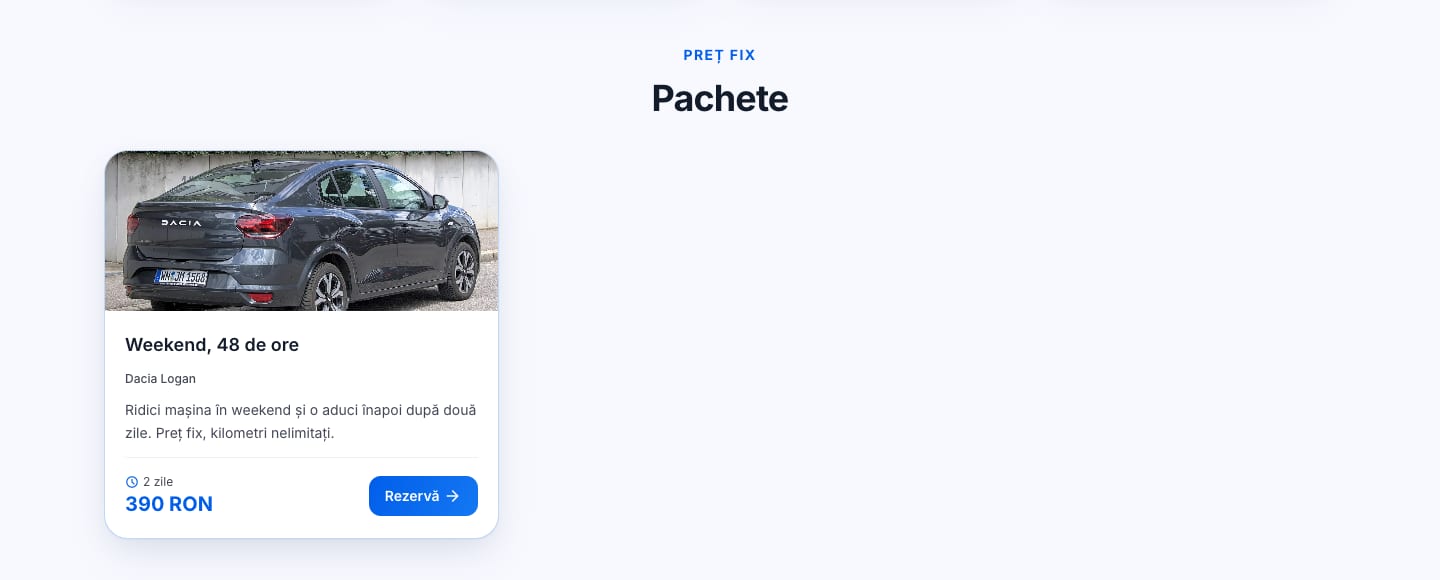
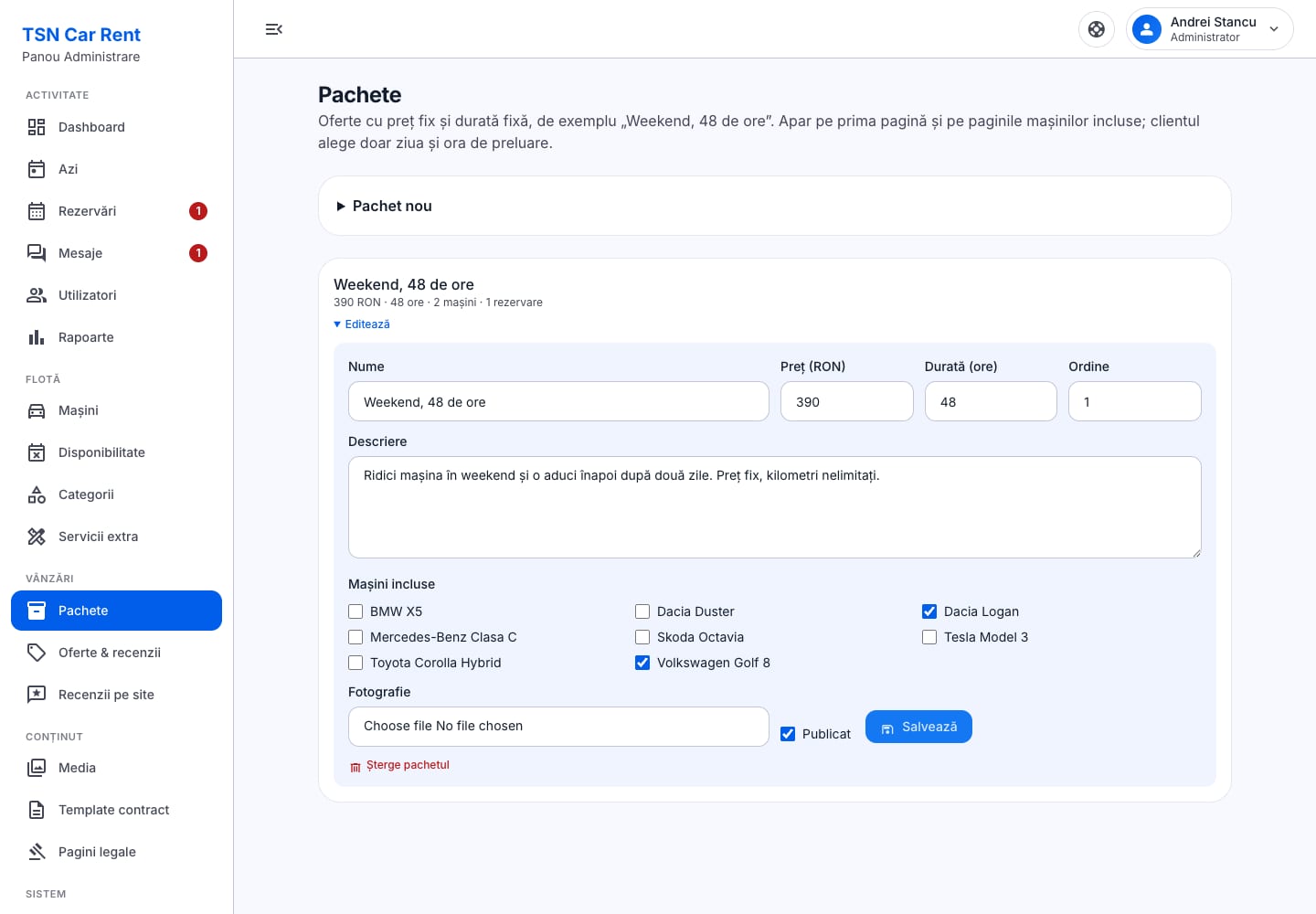
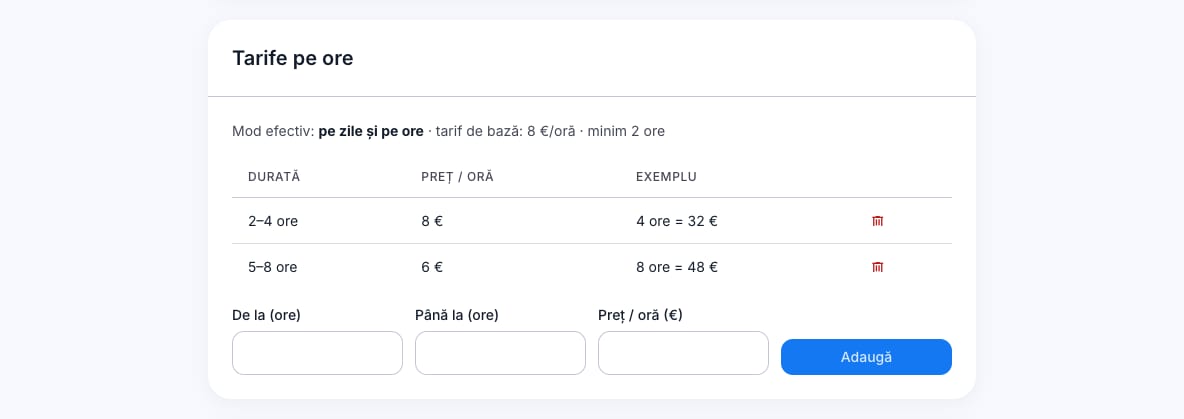
Each car can be rented by day, by hour, or both. For hourly rentals, the client only sees available time slots, and the hourly rate decreases with longer durations. Packages have a fixed price and fixed duration, like a 48-hour weekend: the client just picks the pickup day and time.
- Hourly price grid, with minimum duration
- Hourly rentals never cost more than a full day
- Fixed-price packages, on the homepage and car page
Discount codes and loyal clients
At checkout, the client enters a discount code and the total updates instantly. Returning clients automatically get the discount set in the dashboard. Discounts don’t stack: the highest one applies.
- Codes with percentage, validity period, and usage limit
- Deal of the day shown on the homepage, with its code
- Code is rechecked at creation, so the limit isn’t exceeded
Client account: bookings, under control
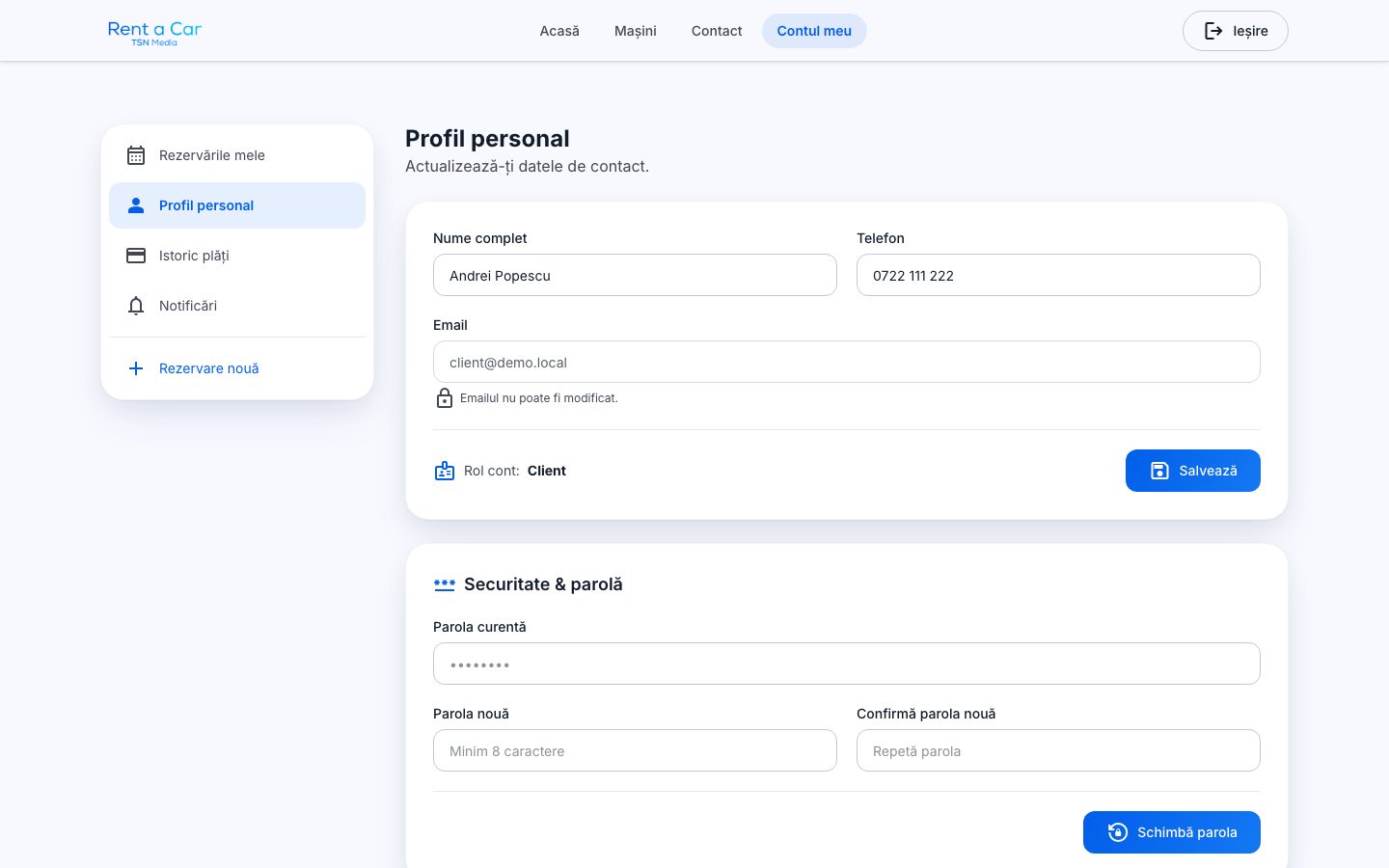
After their first booking, the client gets their own account where they can view, pay, and modify bookings without calling anyone.
My account: all bookings in one place
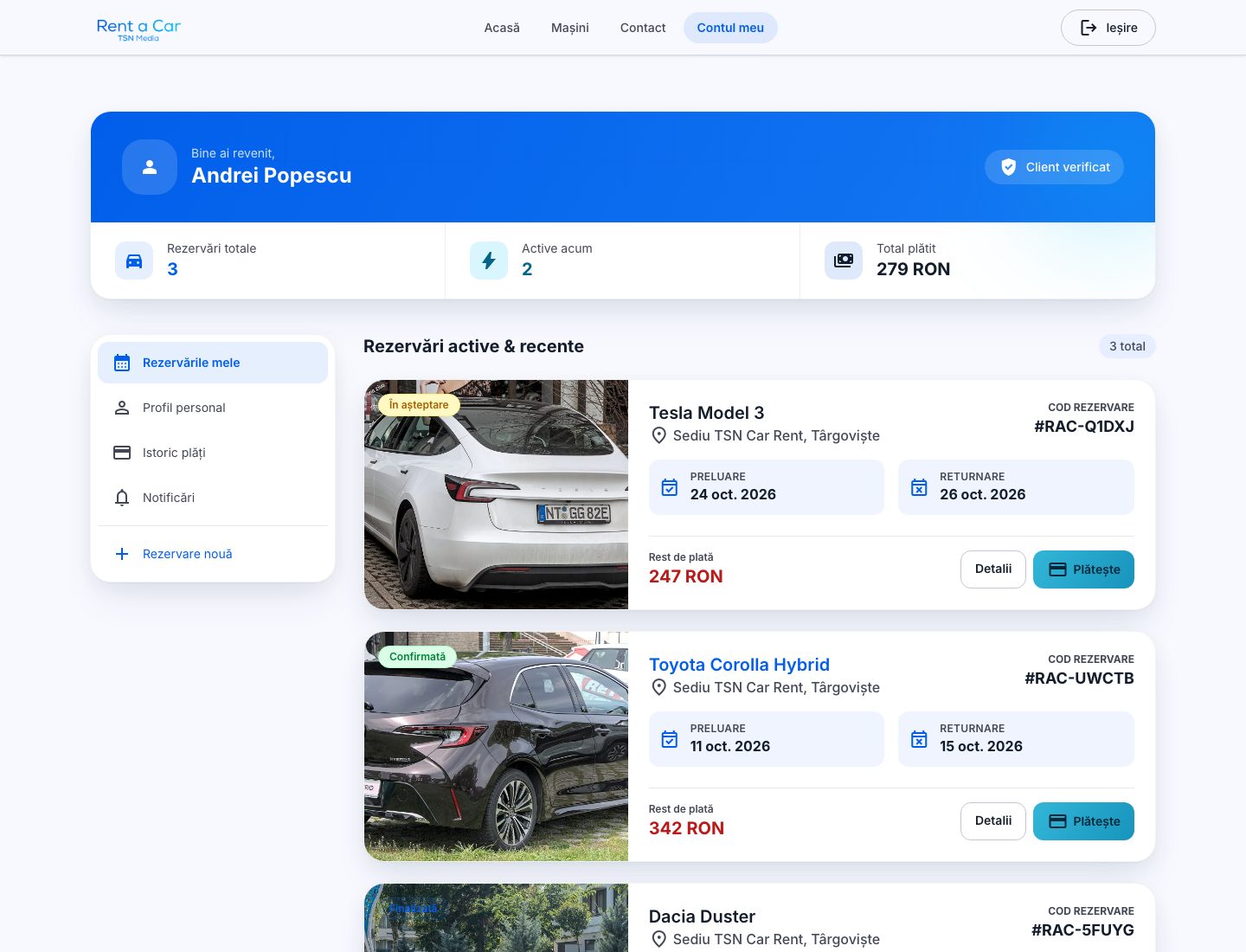
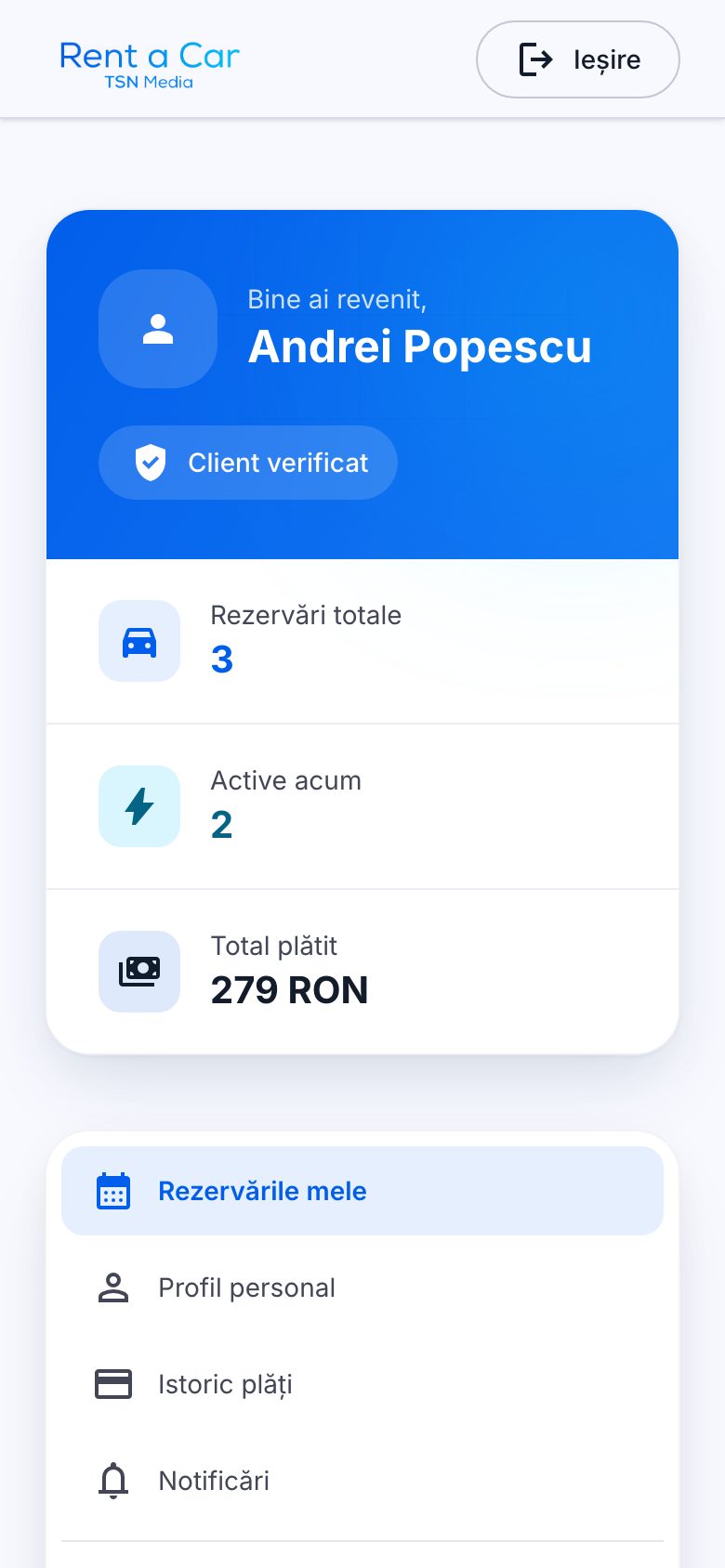
After logging in, the client sees how many bookings they have, how many are active, how much they’ve paid, and what’s left to pay. Each booking appears as a card with the car’s photo, period, code, and action buttons.
- Personal stats: total bookings, active now, total paid
- Status visible on each booking: pending, confirmed, completed
- Direct access to details and remaining payment
Online payment, straight from the booking
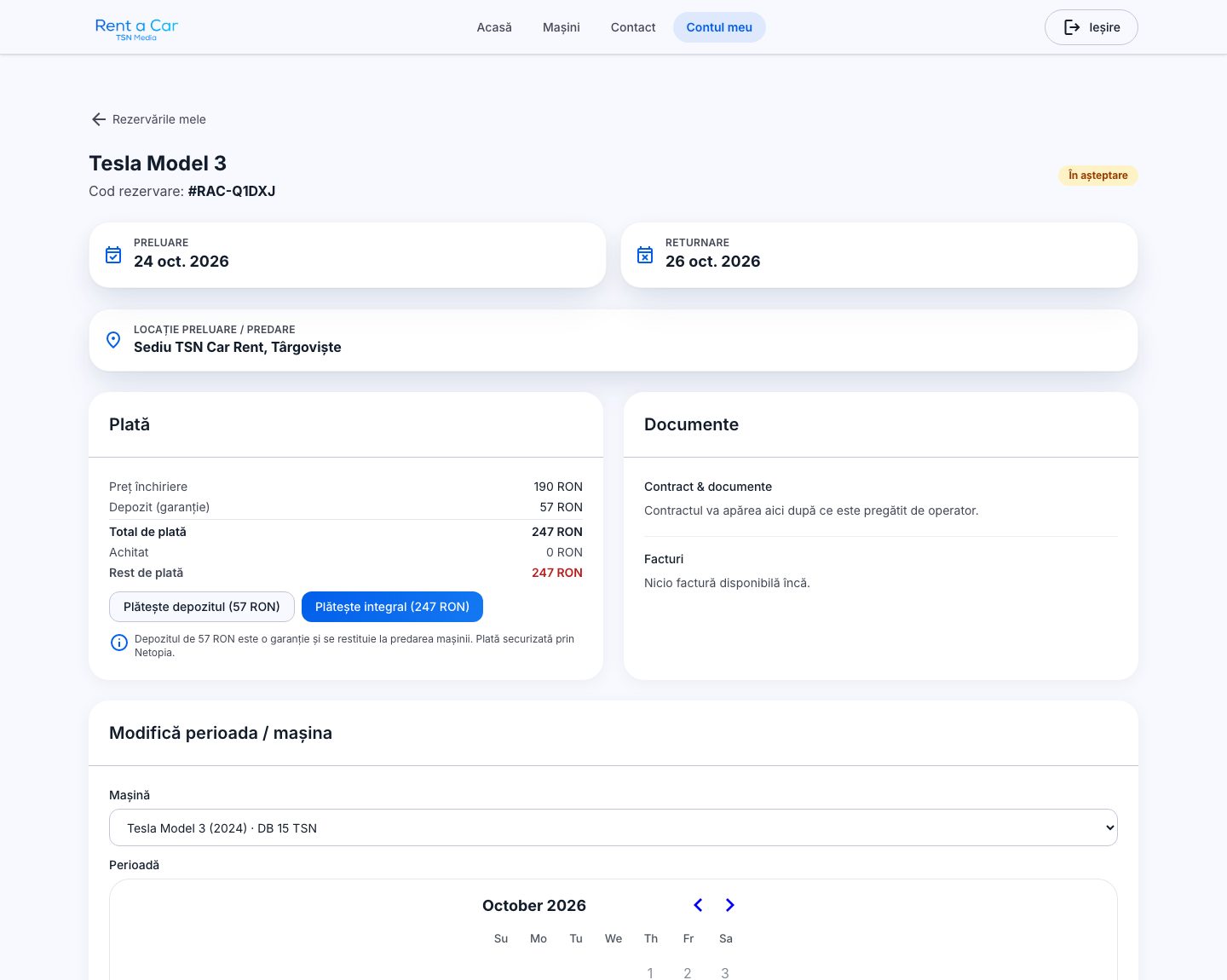
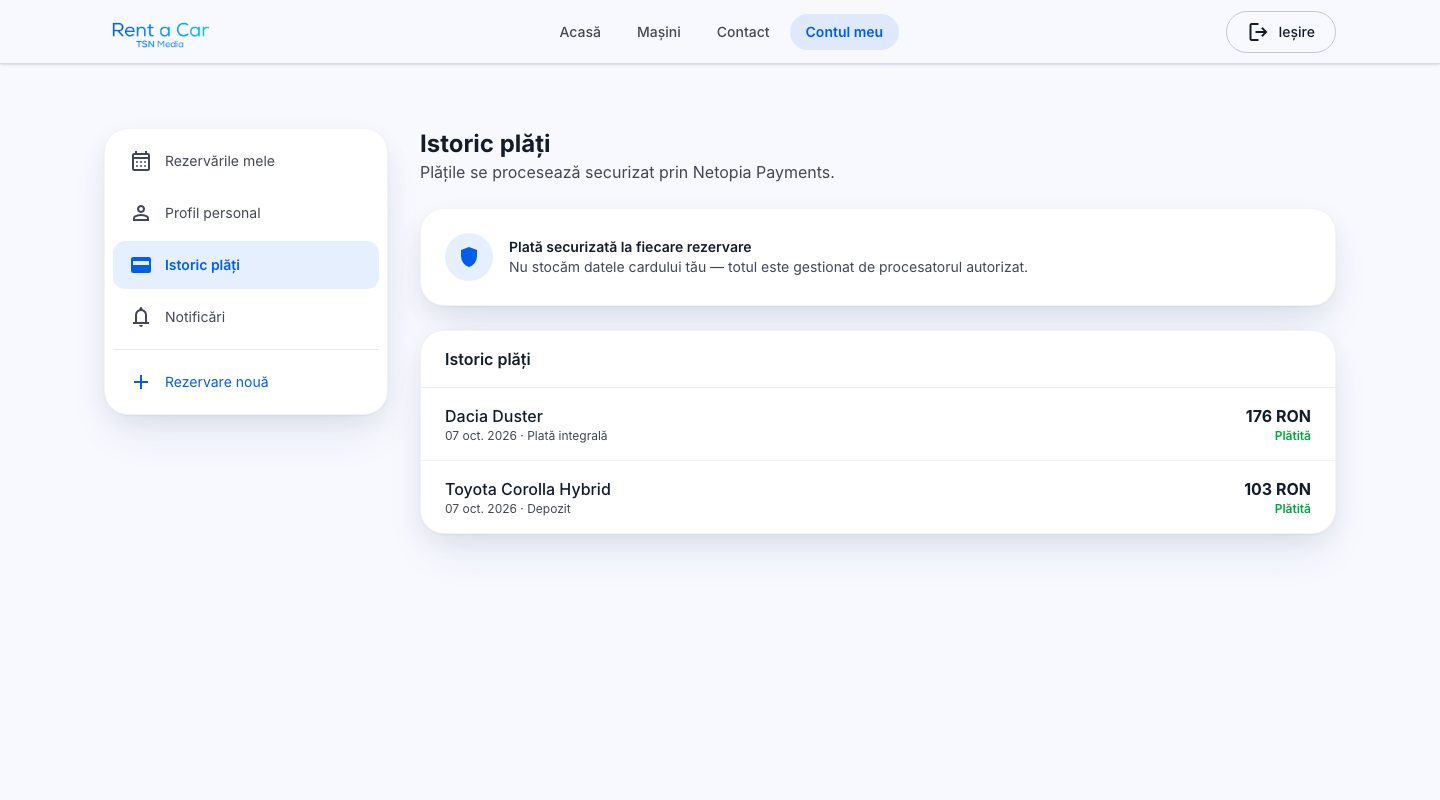
The client pays the deposit or the full amount directly from the booking page. They see exactly what they've paid, any remaining balance, and when the deposit will be refunded, with their payment history always at hand.
- Card payment via Netopia processor
- Outstanding balance calculated automatically
- Separate payment history for each transaction
Booking changes, no phone calls
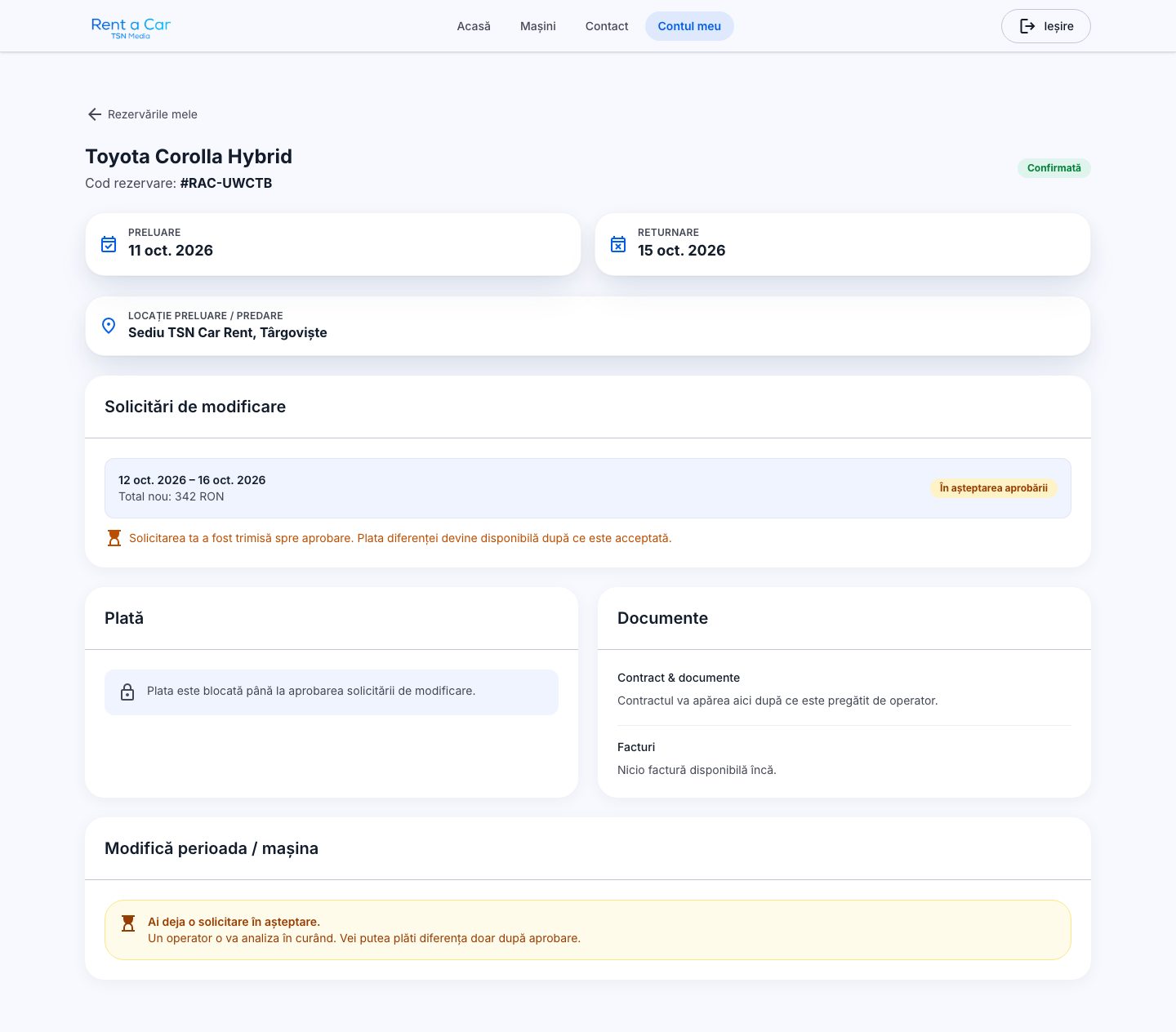
If plans change, the client can request a different period or car directly from their account, sending a message to the operator. They see the new total and price difference, and payment for the difference is unlocked only after approval.
- Change request with message to operator
- Price and payment difference recalculated
- Clear status: pending approval, approved, or rejected
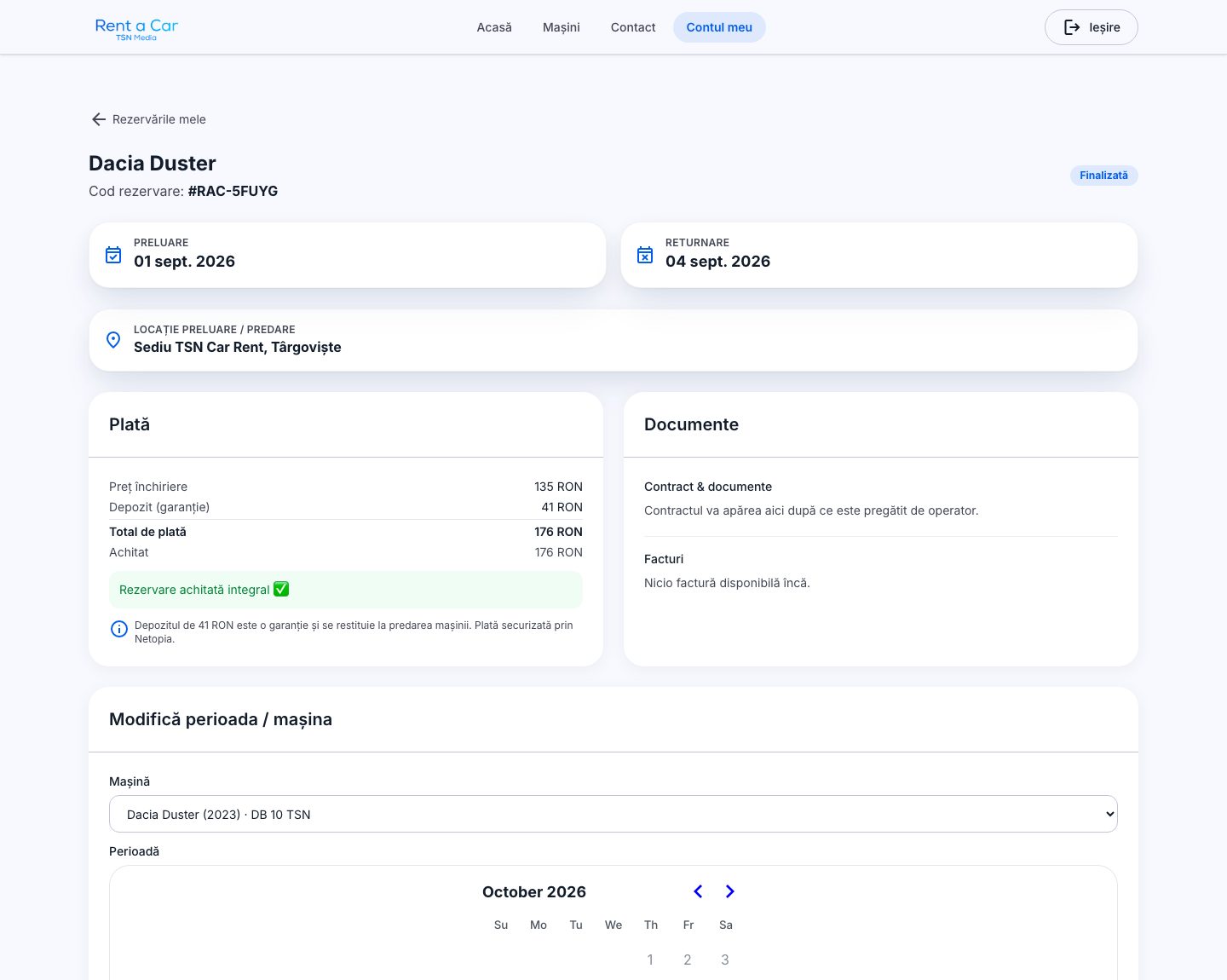
Contract and invoices, always accessible
After completion, the booking keeps the entire file: signed contract, invoices uploaded by the operator, and all payments made. No more searching for documents in old emails.
- Contract and documents attached to the booking
- Invoices available for download
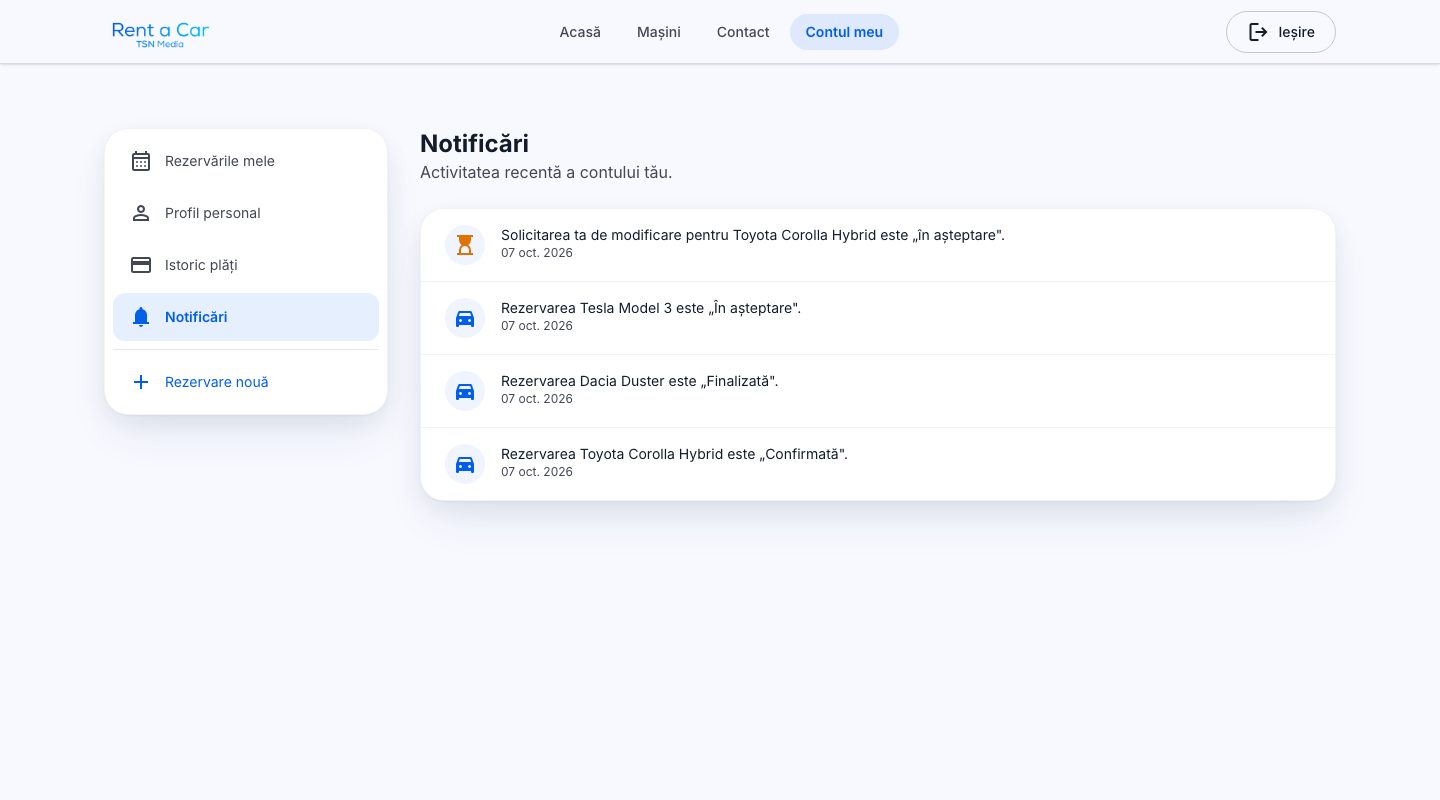
- Account notifications for every status change
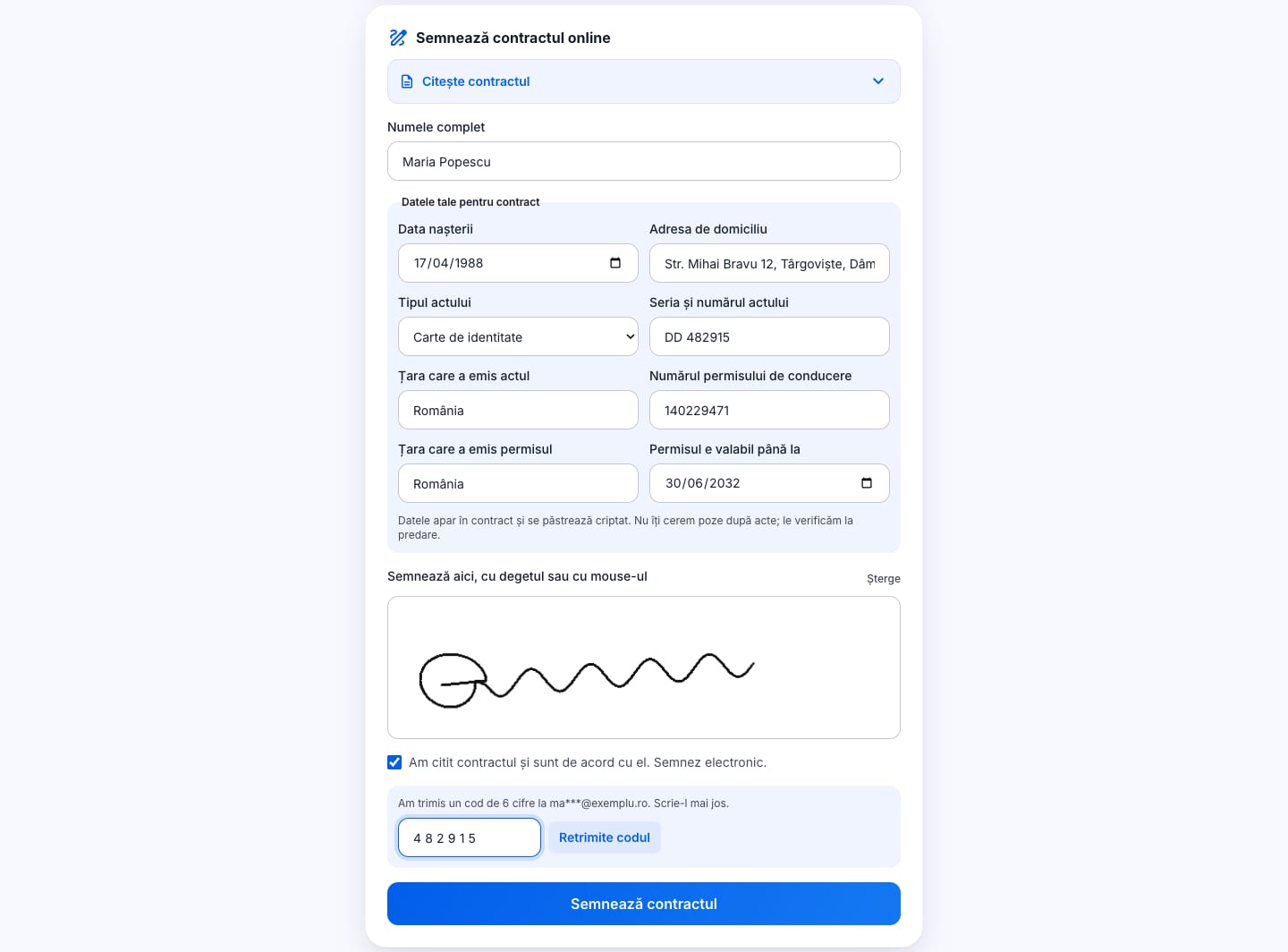
Contract signed online, with code sent by email
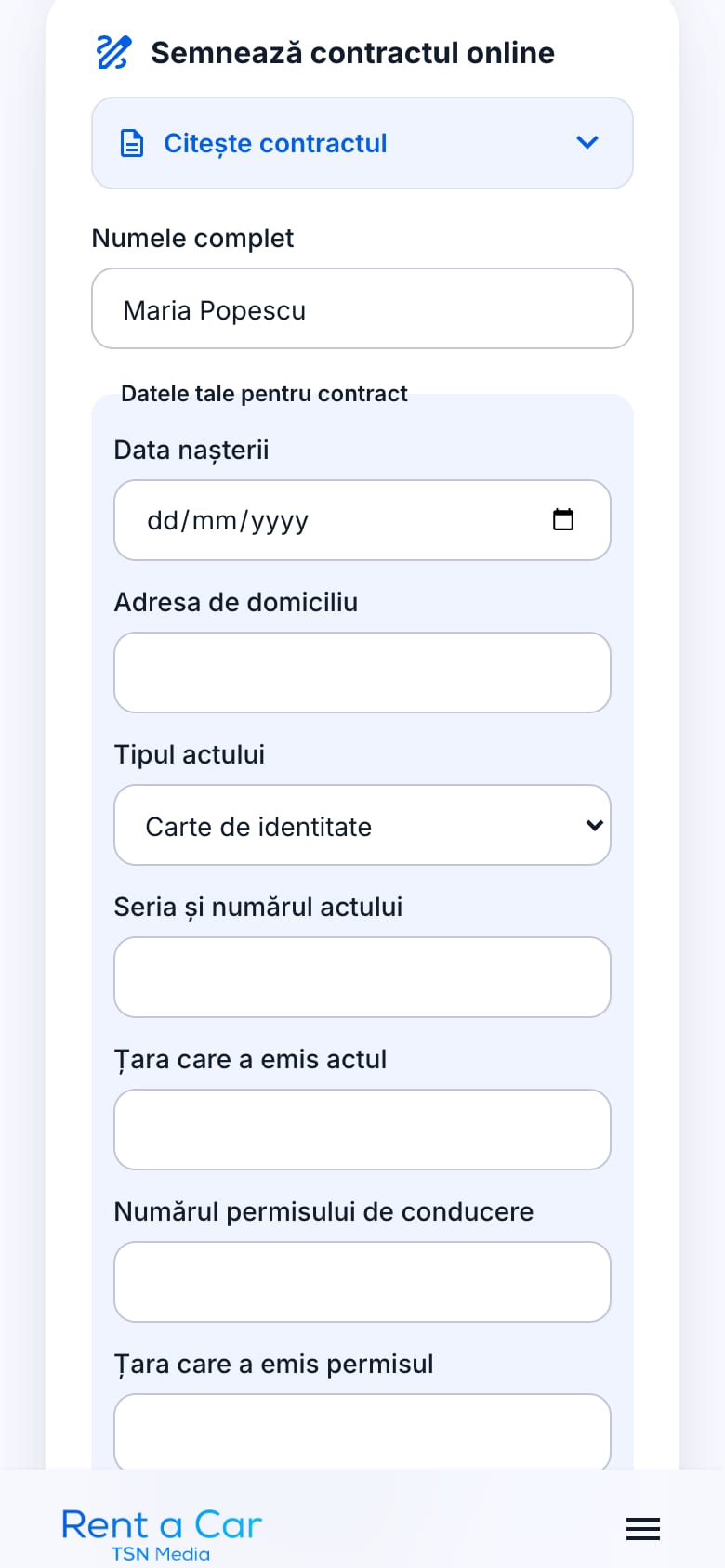
Before pickup, the client reads the contract right on the page, fills in their contract details, and signs with their finger on their phone. A 6-digit code sent by email confirms it’s really them signing. Then they receive the signed PDF by email, with the electronic signature certificate.
- Simple electronic signature (eIDAS): code by email, time, IP, browser, and fingerprint
- Digitally sealed PDF: any later changes are visible
- No photos of documents: ID and license data are stored encrypted
- Email reminder if pickup is near and the contract isn’t signed
Payment by link, no account needed
For bookings made by phone or with a remaining balance, the operator sends the client a link on WhatsApp. The client opens it without an account and pays by card via Netopia.
- Link valid only for that specific booking
- Pay in full or just the deposit
- Unpaid online bookings are automatically canceled after a set time, so the car isn’t blocked

And more in your client account
Admin panel: your entire business in one place
Operators and admins manage the fleet, bookings, payments, and documents without spreadsheets or confirmation calls.
Dashboard: today’s to-dos
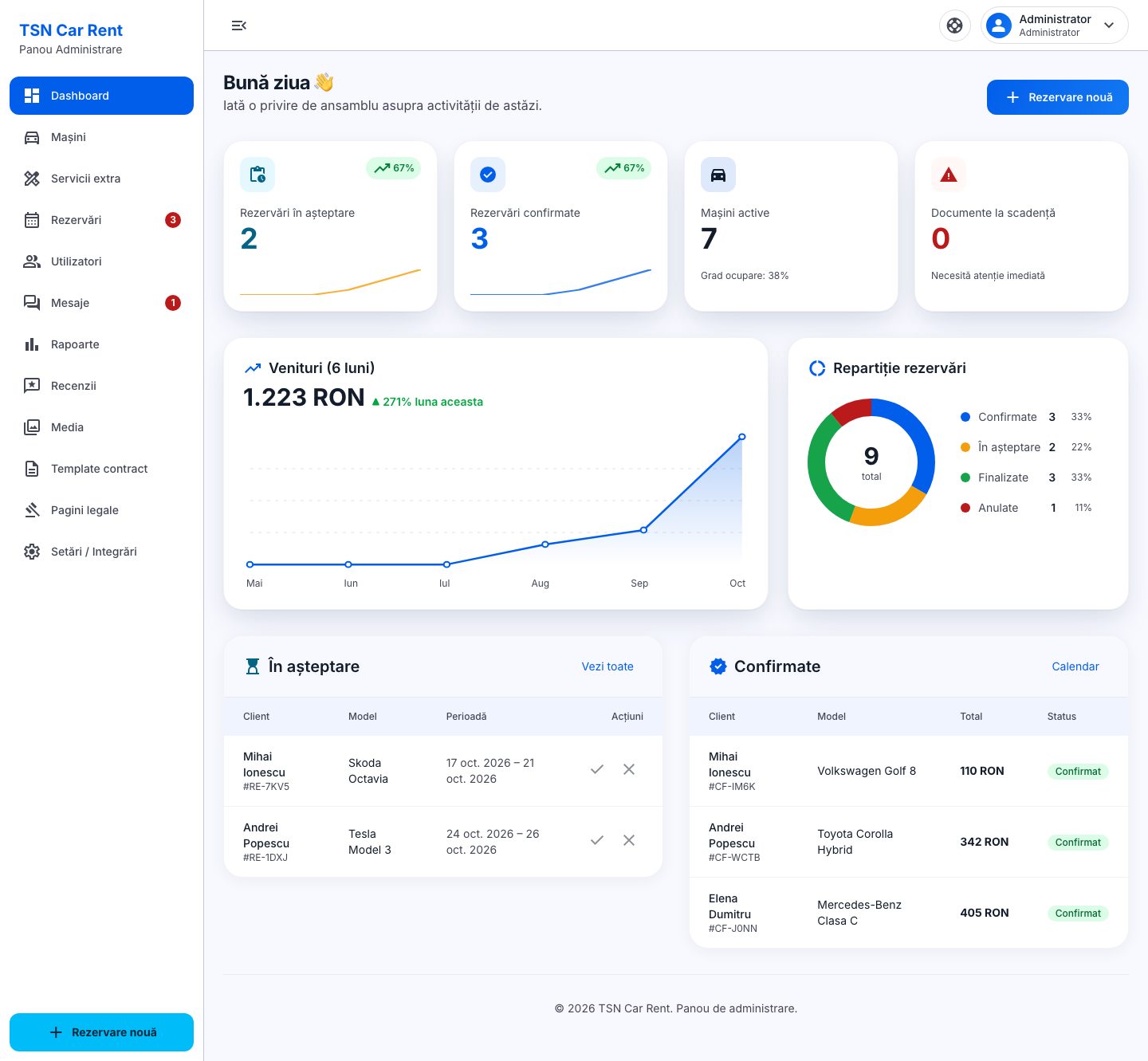
The manager opens the panel and instantly sees pending bookings, confirmed ones, active cars with occupancy rates, and expiring documents. Revenue from the last 6 months and booking breakdowns are on the same page.
- Indicators: pending, confirmed, active cars, expiring documents
- Approve or reject requests instantly, right from the list
- Revenue chart and status breakdown
Bookings: list, calendar, and phone reservations
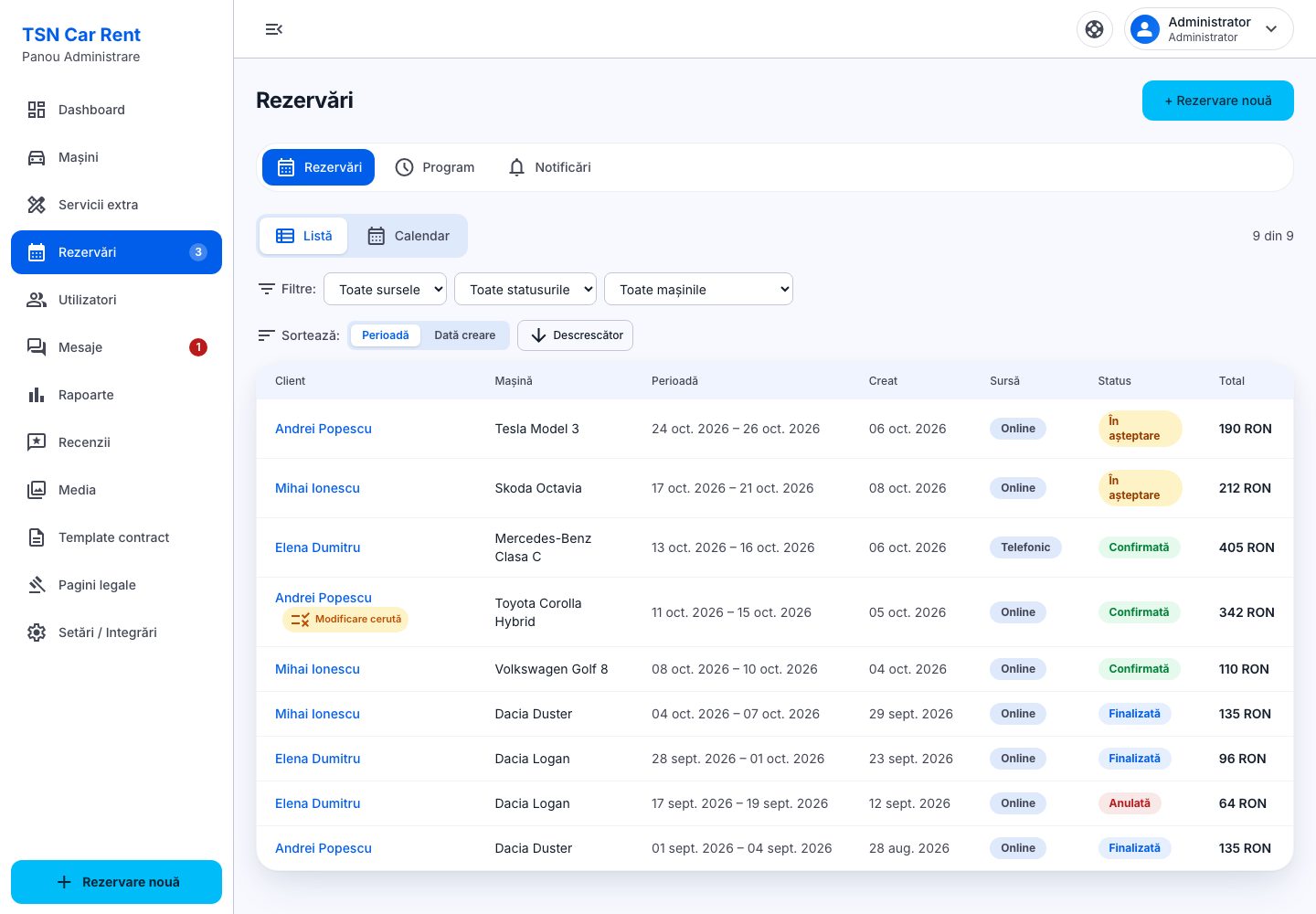
All bookings are visible in a filterable list or calendar. Online and phone bookings are in one place, and operators can manually create a new booking in seconds.
- List or calendar view, with filters by status and period
- Source of each booking: online or phone
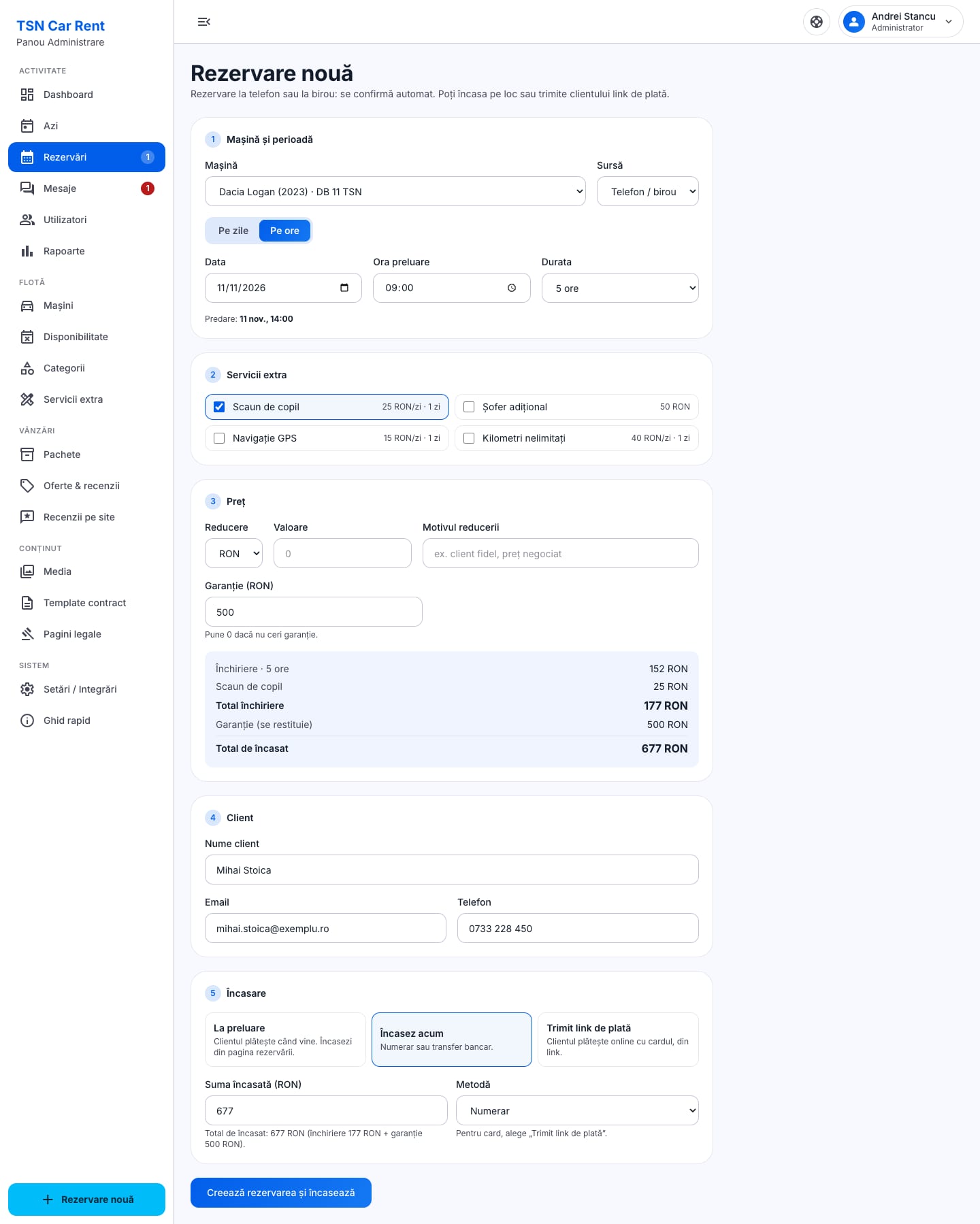
- New booking from the office: by day or hour, extras, discount with reason, deposit, and payment on the spot or payment link
Booking details: approvals, payments, and documents
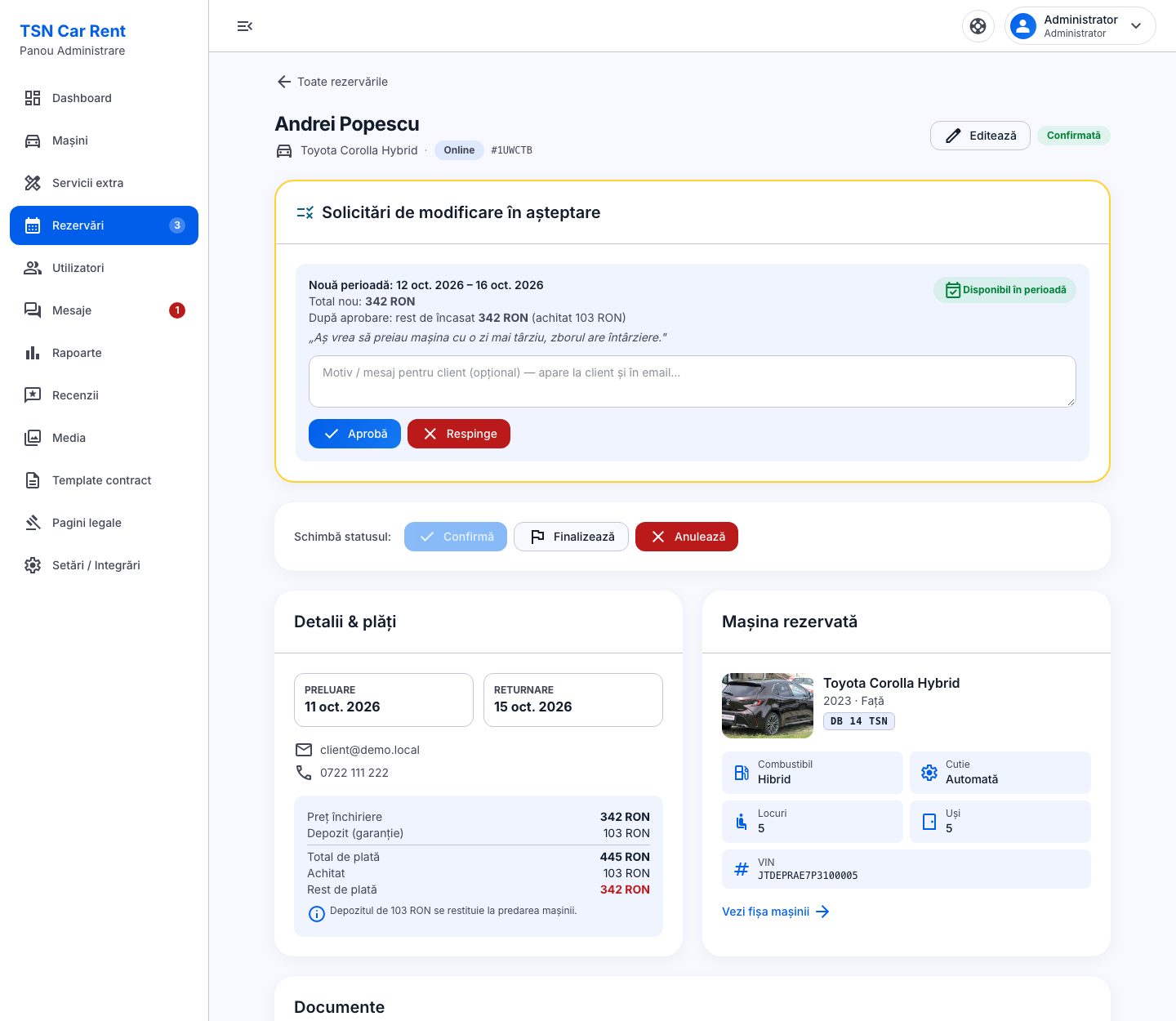
On the booking page, the operator approves or rejects change requests (with the reason sent to the client), changes the status, and sees payment details. Here they can also collect the balance, send the payment or signing link, and view the contract signed online, with its proof.
- Approve or reject changes, with a message to the client
- Confirm, complete, or cancel with one click
- Contract signed online or, if needed, pre-filled Word version; PDF invoices
- Full change log, with price history
Fleet: cars, rates, and up-to-date documents
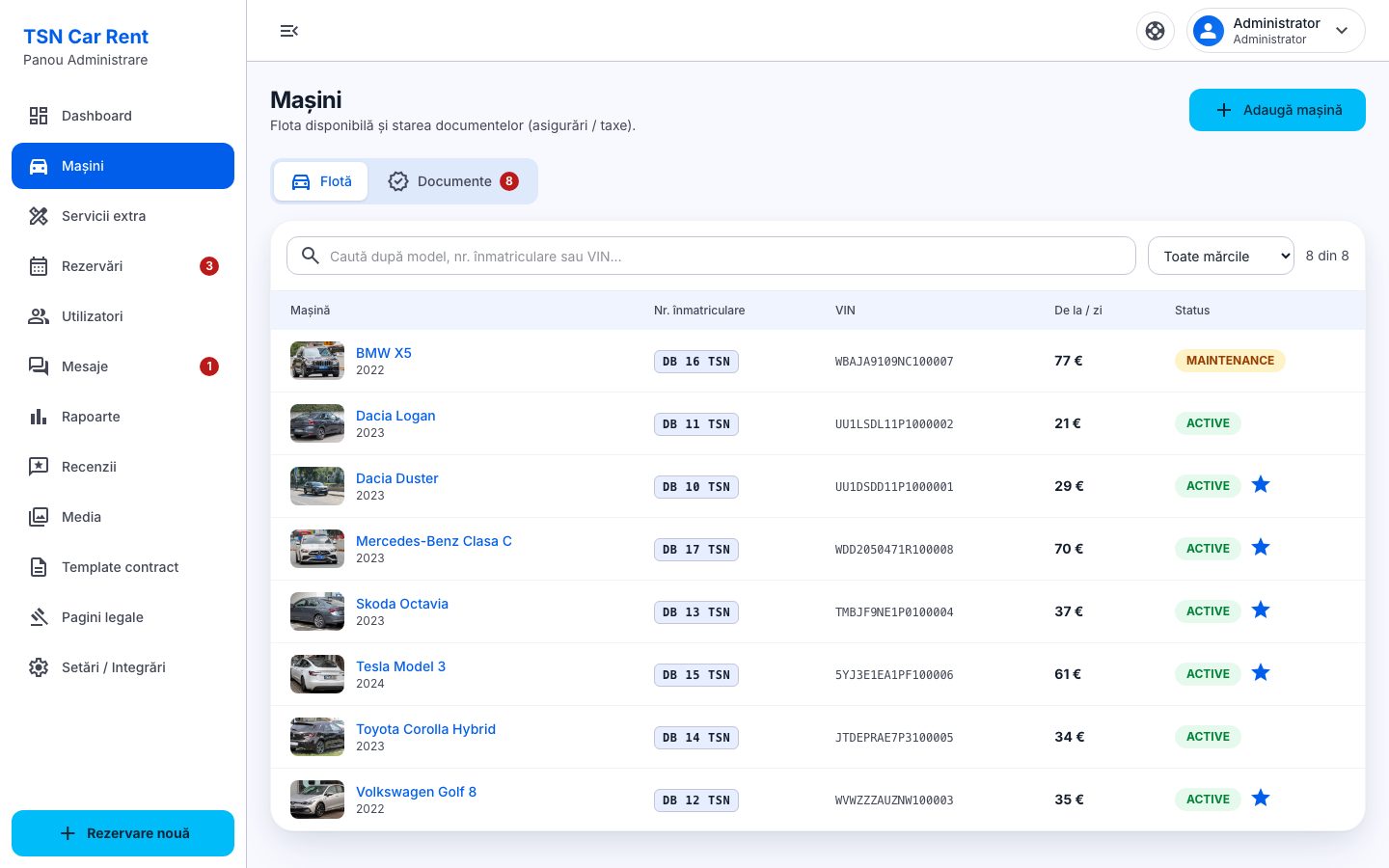
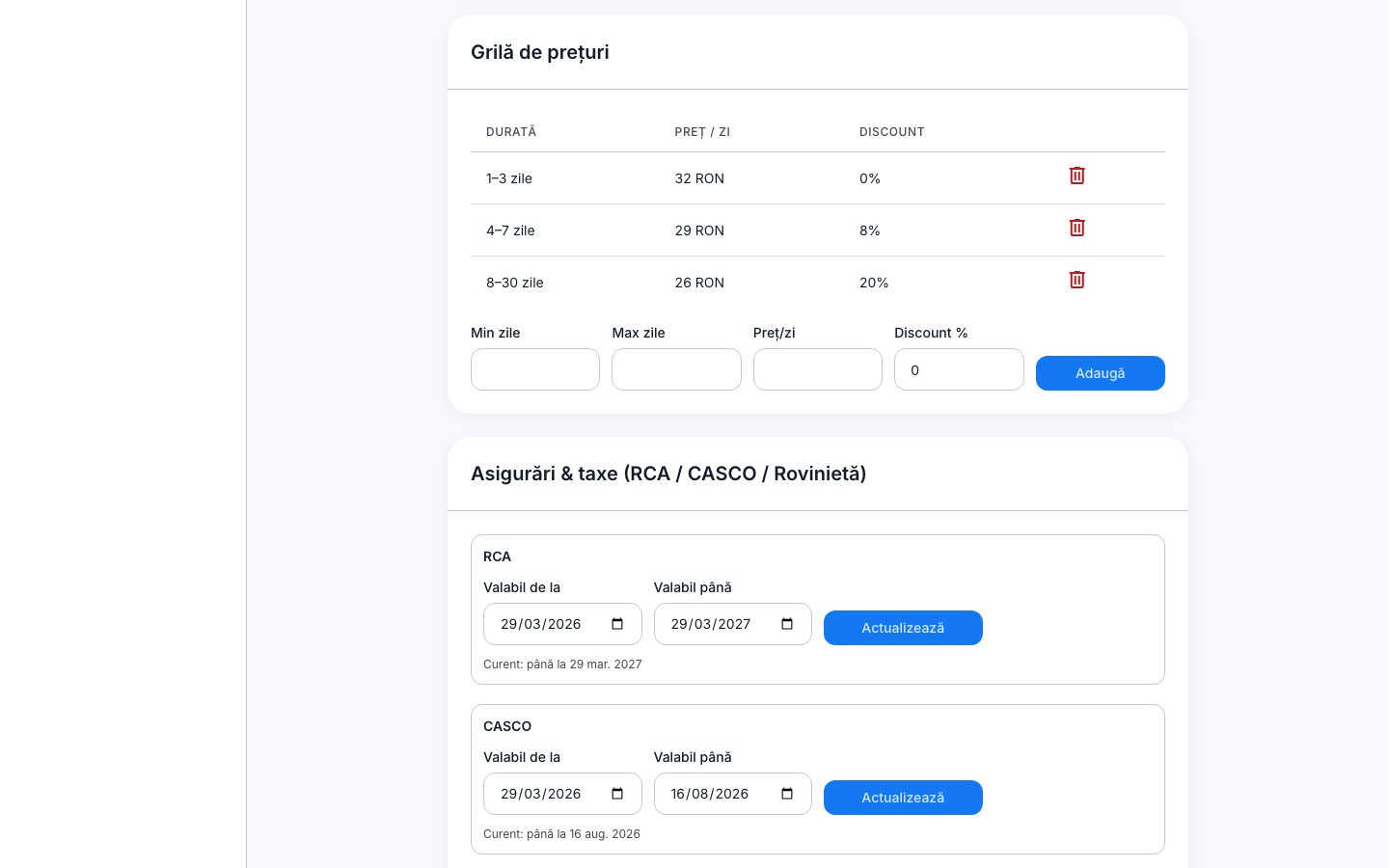
Each car has its own profile: gallery, features, available extras, pricing grid by duration, and insurance (RCA, CASCO, road tax) with validity dates. The panel alerts you before any document expires.
- Add and edit cars, with photos and features
- Pricing grid by duration, with discounts
- Track RCA, CASCO, and road tax, with expiry alerts
- Status: active, in service, or inactive
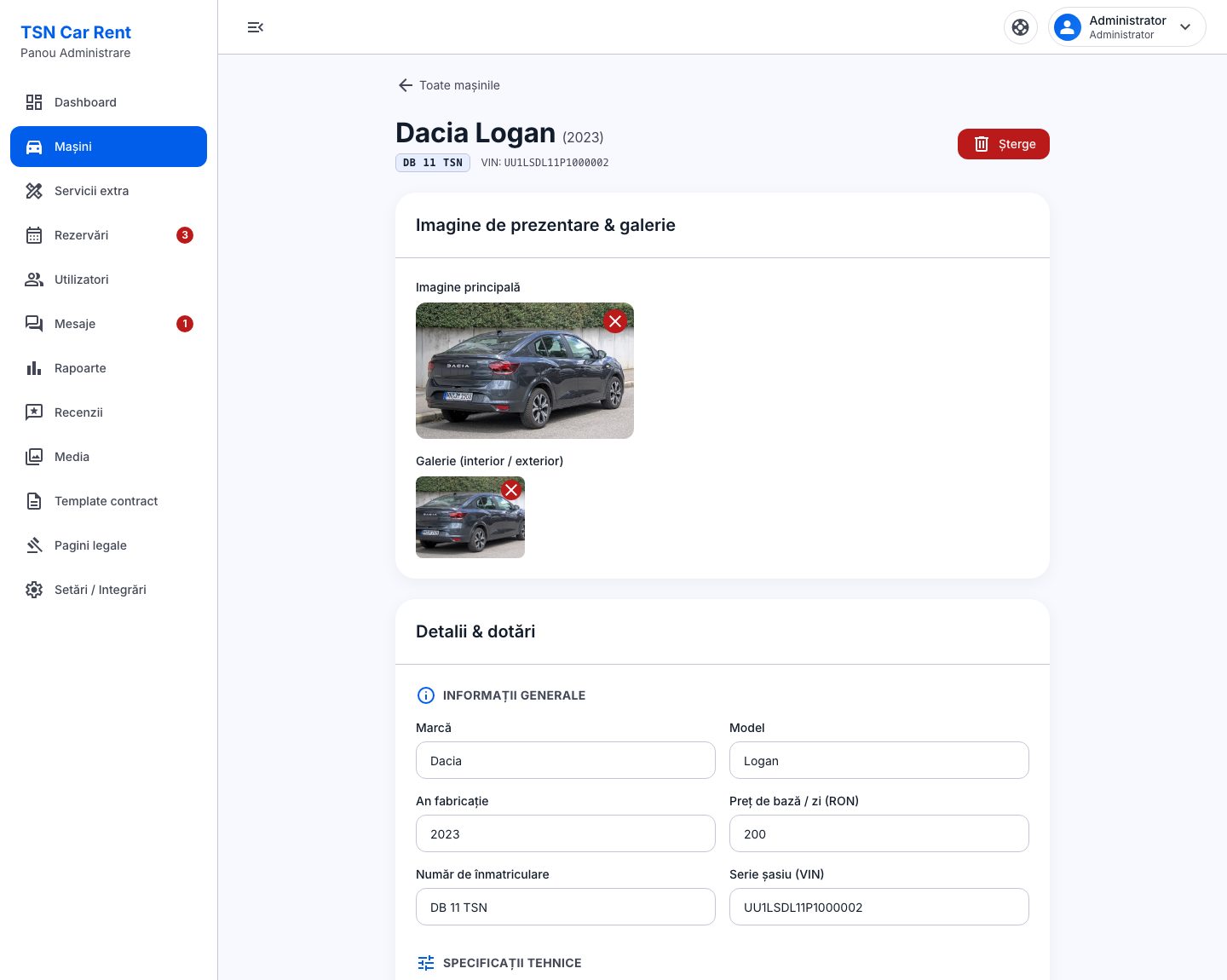
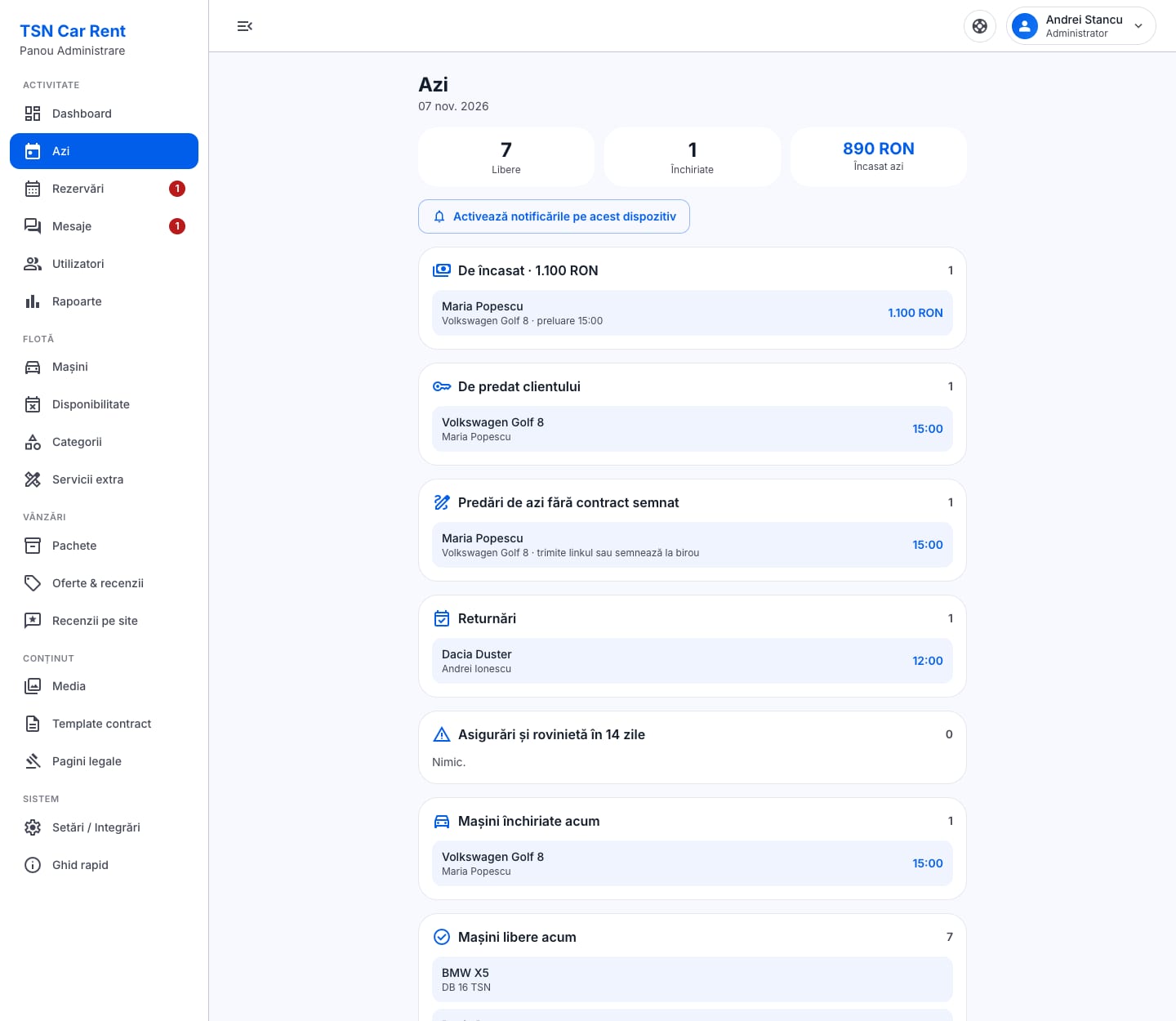
Today: workday, on your phone
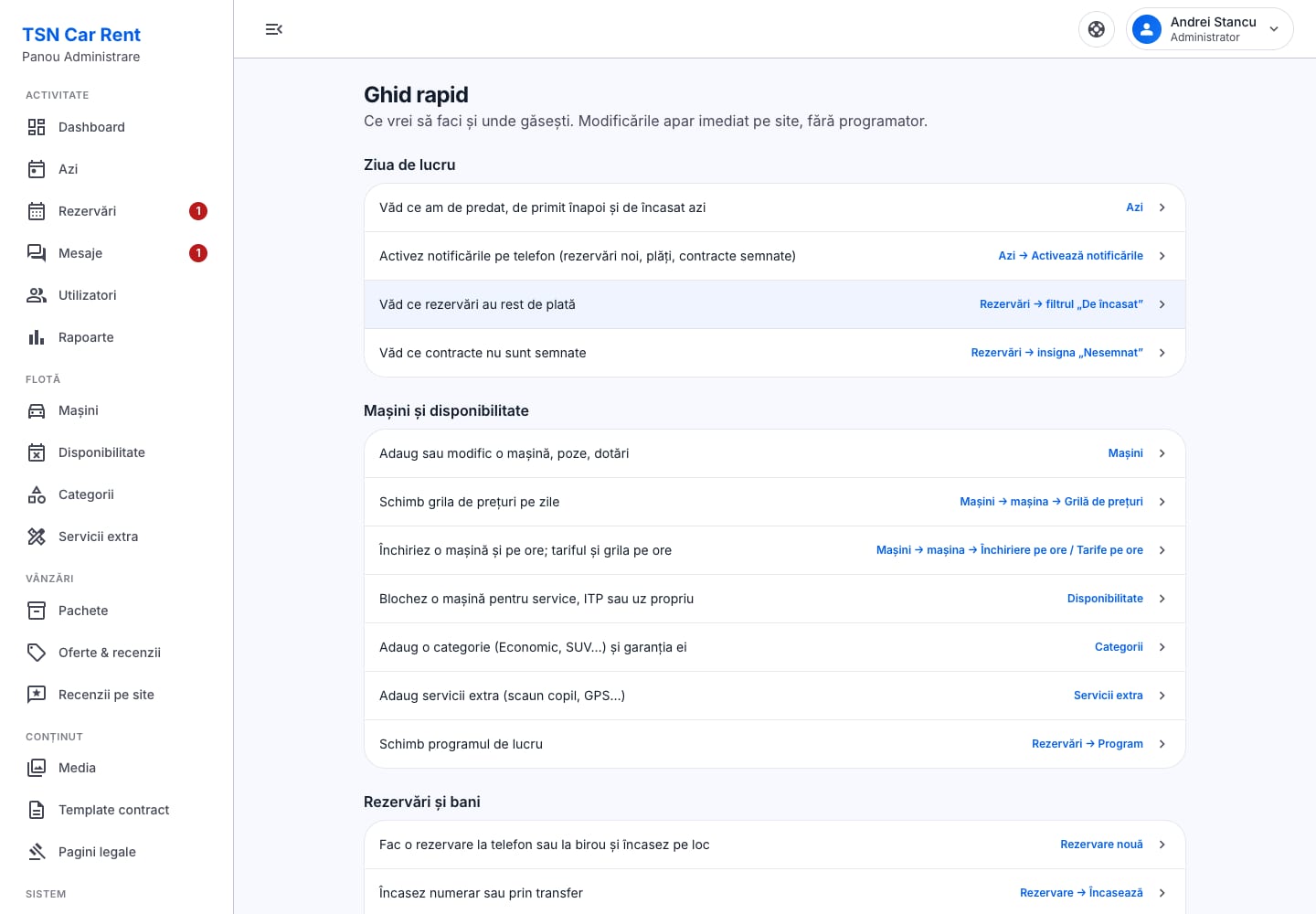
The Today page shows what's to be collected, which cars are being handed over or returned, unsigned contracts, available cars, and expiring documents. The platform installs on your phone like an app, and your team gets notifications for new bookings, payments, and signed contracts.
- To collect today, with total and direct payment link
- Phone notifications: new booking, payment received, contract signed, morning summary
- Installable app on your phone, no App Store needed
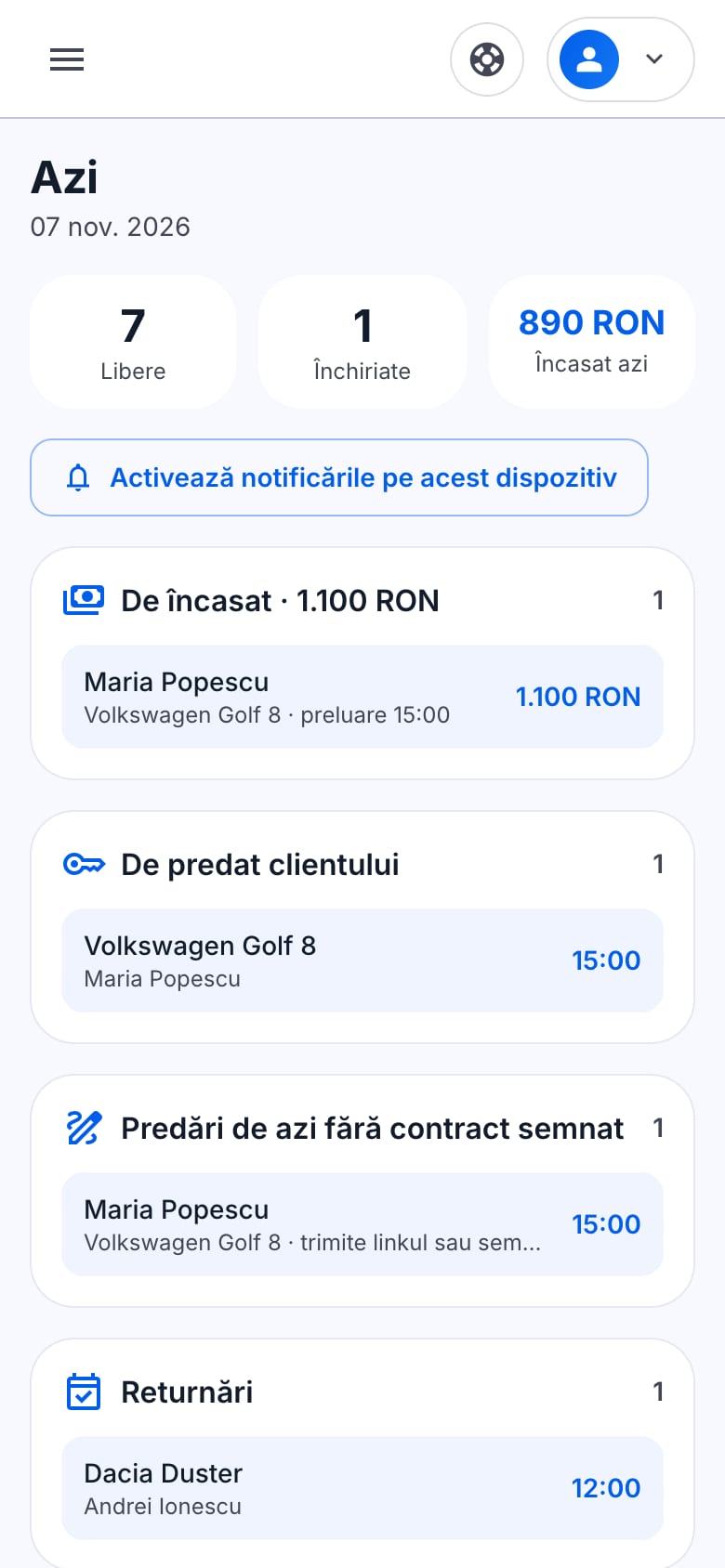
Office collections and refunds
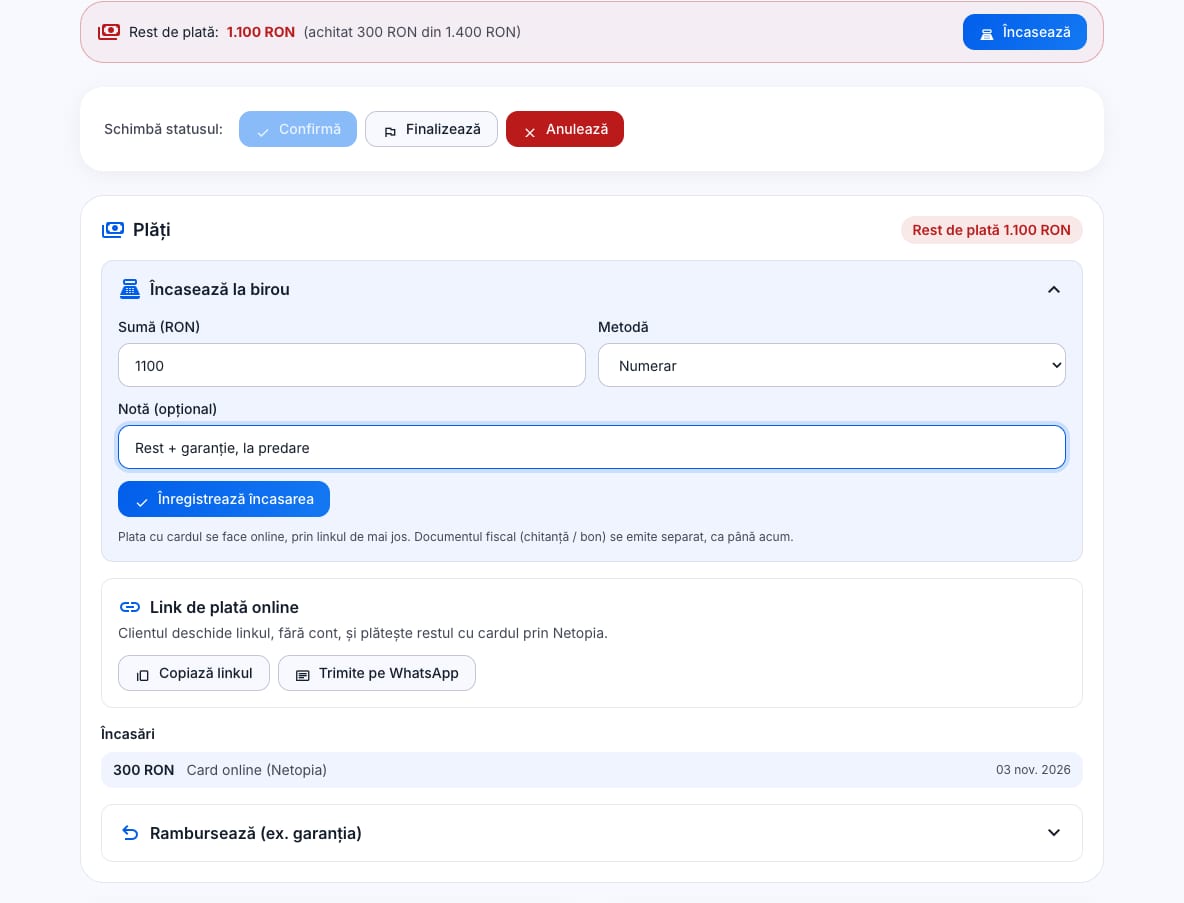
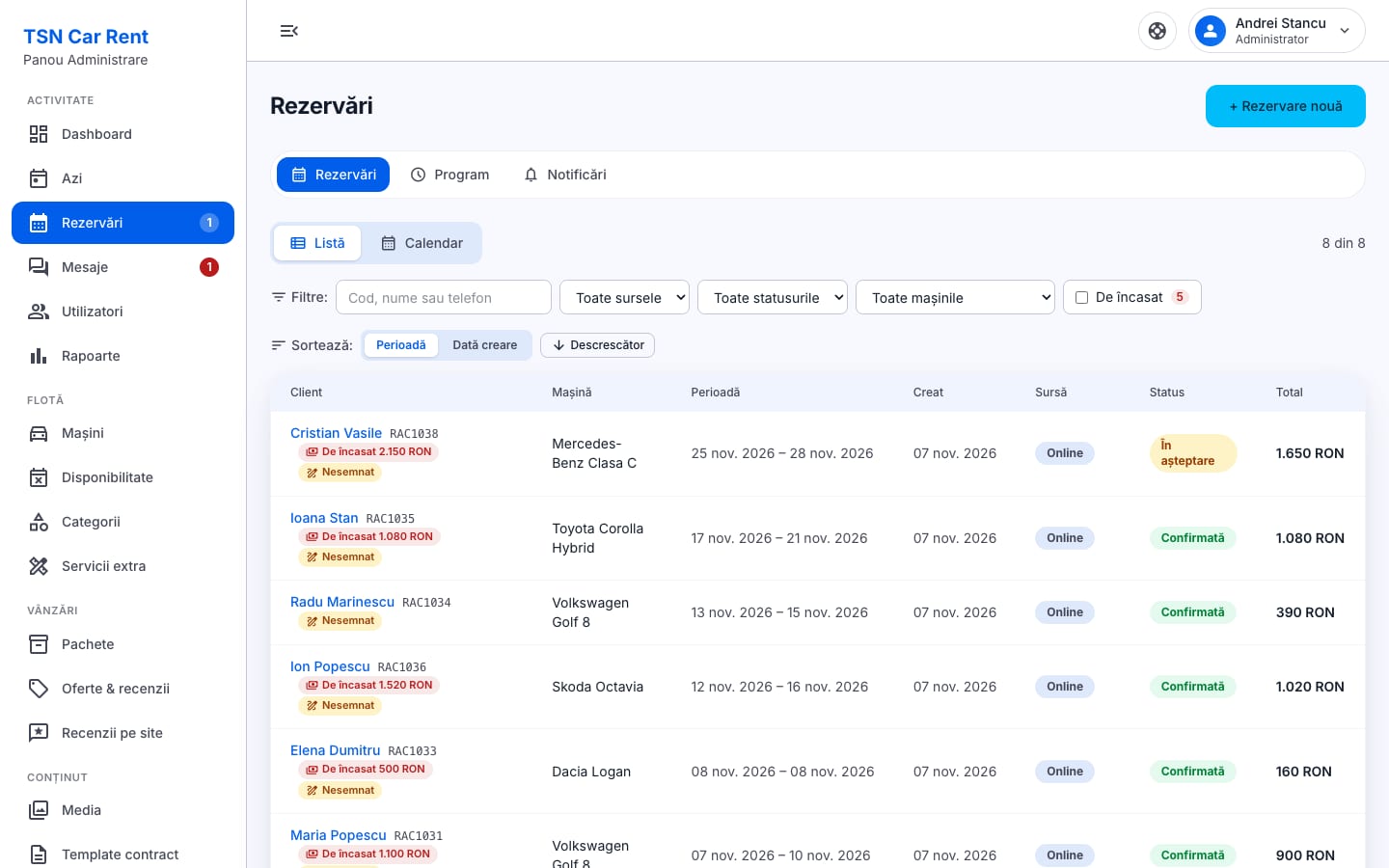
On the booking page, the operator sees the remaining amount and collects cash or by transfer, or sends the client a payment link. The deposit is refunded to the original payment method, and reports deduct refunds. In the list, the “To collect” and “Unsigned” badges instantly show what’s left to do.
- Cash or transfer collection, with balance check
- Refunds recorded separately, without affecting payment history
- “To collect” filter and search by code, name, or phone
- Short booking codes (RAC1031, RAC1032…)
Signed contracts, with proof
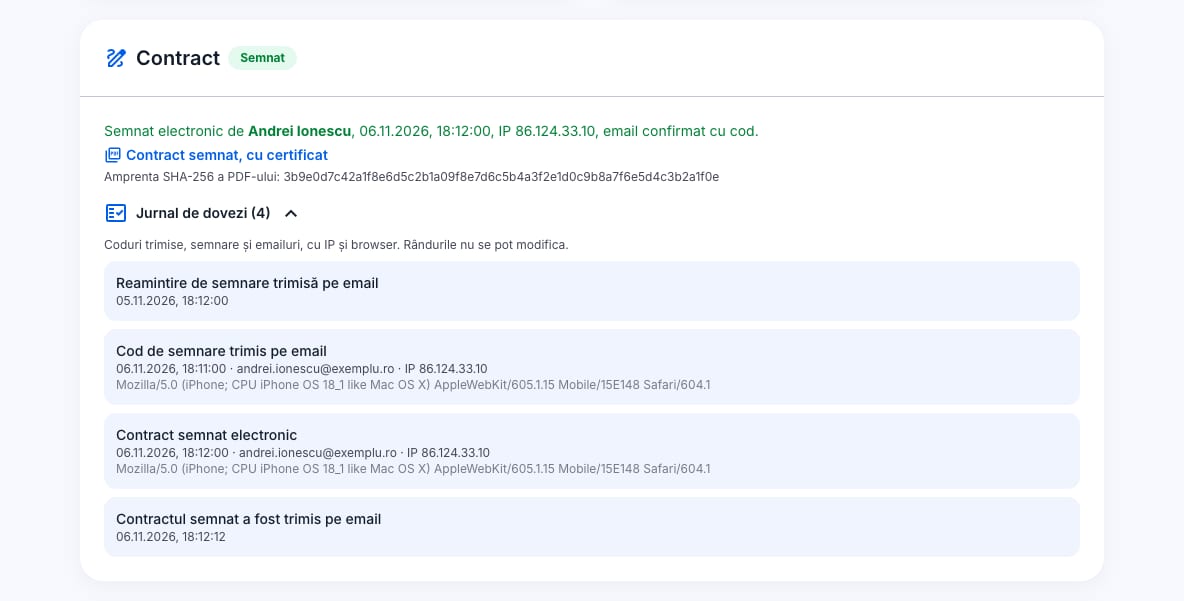
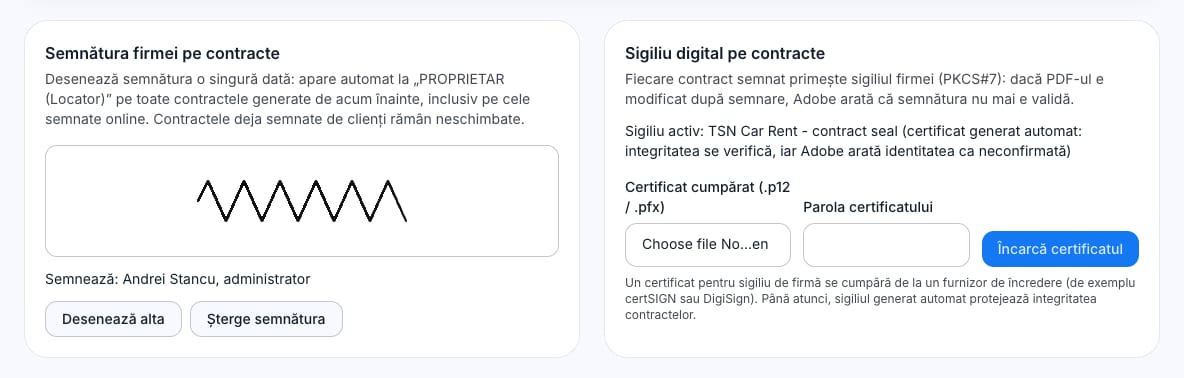
Each booking shows if the contract is signed. If not, the operator sends the signing link via WhatsApp or the client signs on the office tablet. The evidence log keeps sent codes, signing, and emails, with IP and browser. The company signature is drawn once and appears automatically on contracts.
- Sign at the office, on tablet, with operator-verified identity
- Contract must be signed again if car, period, or price changes
- Company digital seal on every signed PDF
Availability, packages & offers
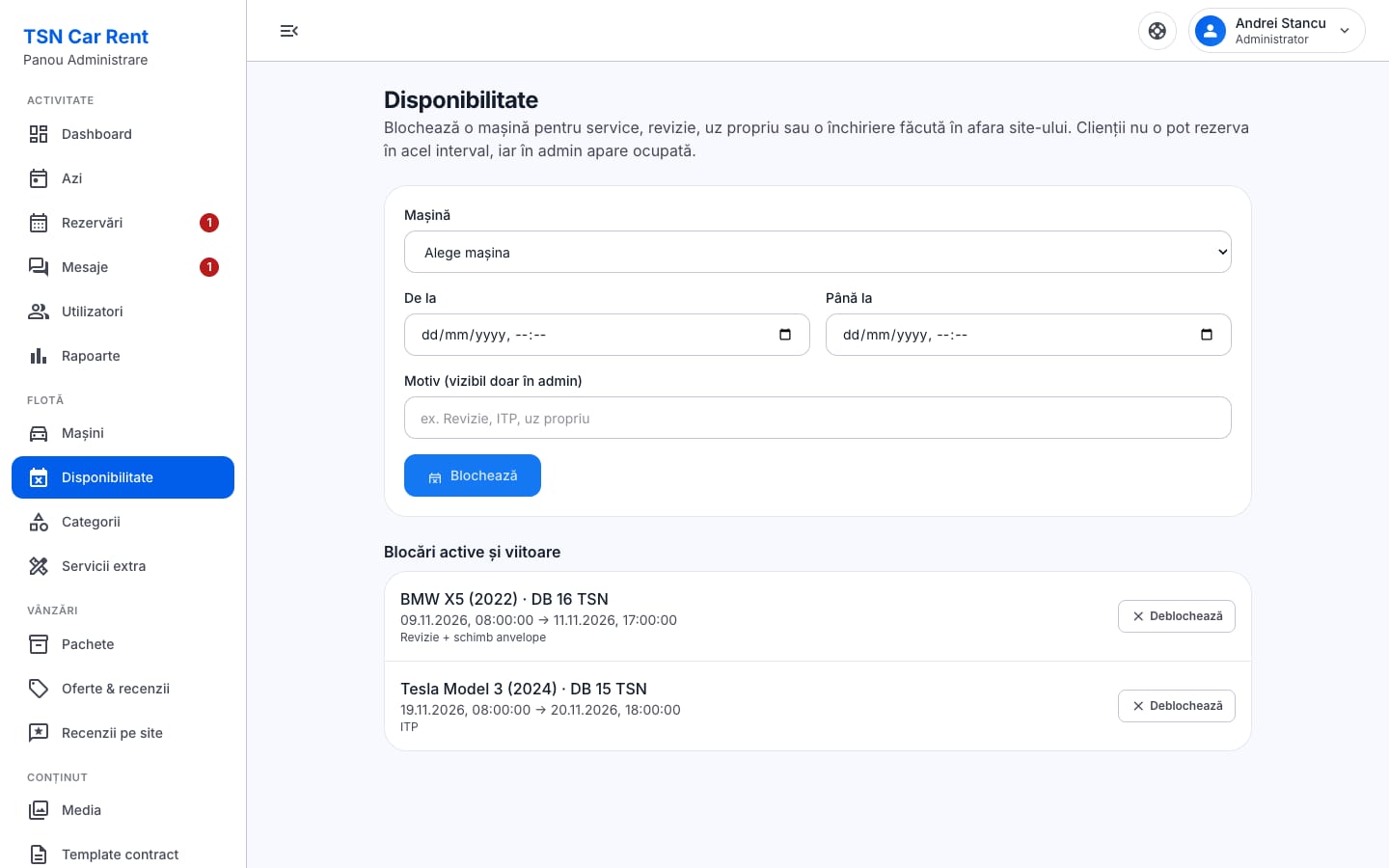
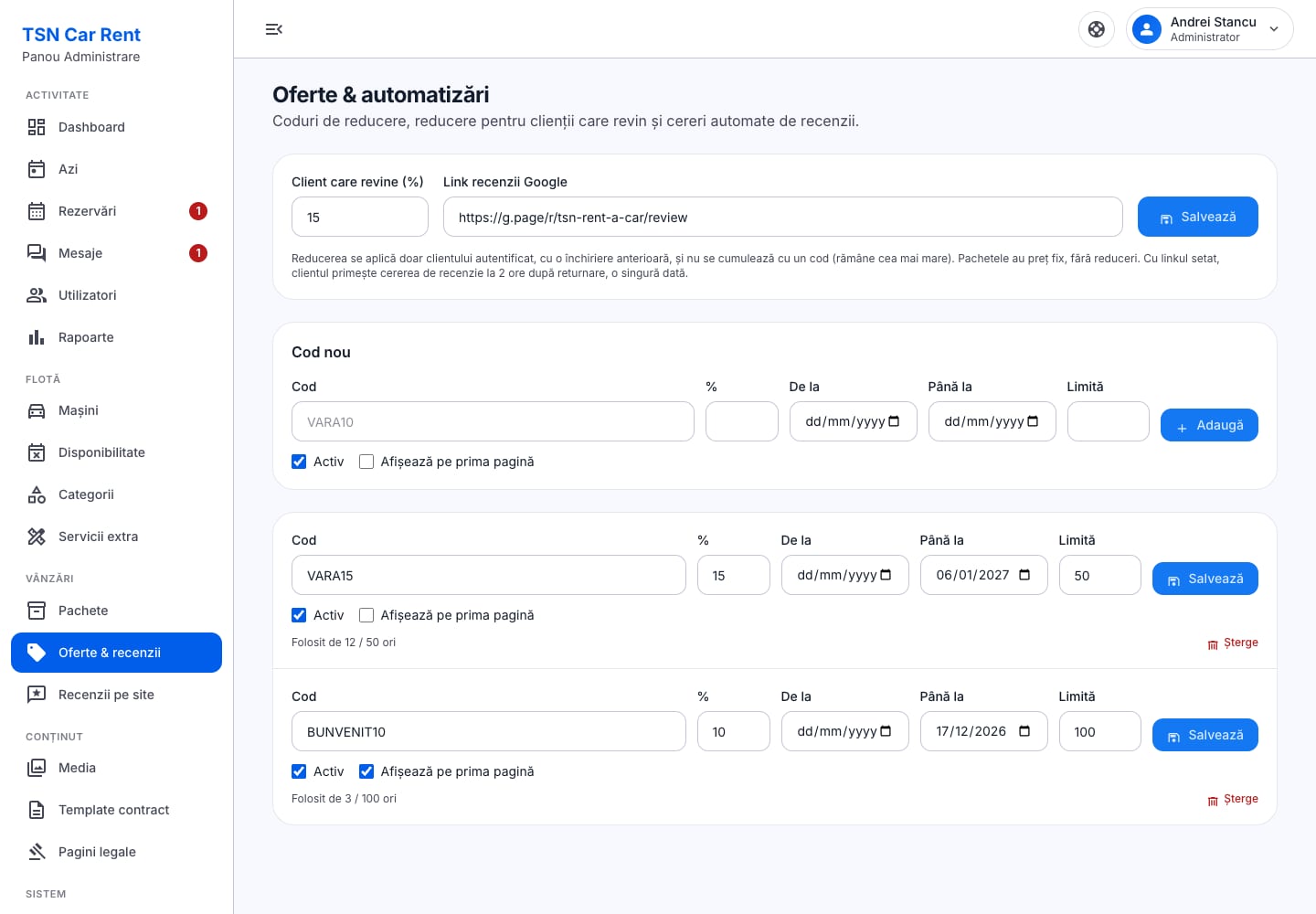
The manager blocks a car for service, ITP, or personal use, and it disappears from search during that period. From the panel, you can also create fixed-price packages, discount codes, returning client discounts, and the link for automatic Google review requests.
- Blocking is denied if it overlaps with a booking
- Codes with usage limits and offer on the homepage
- Review request sent automatically 2 hours after return
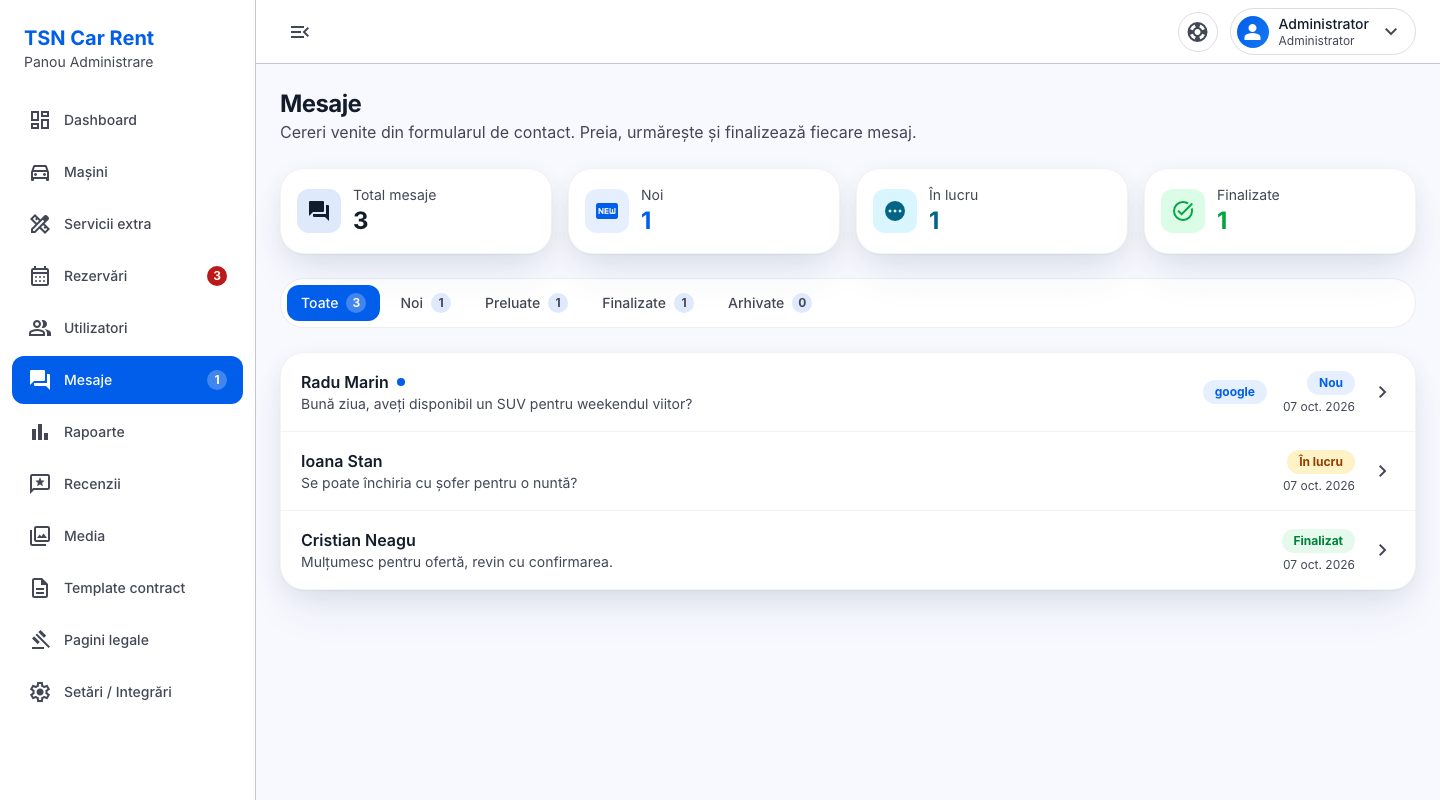
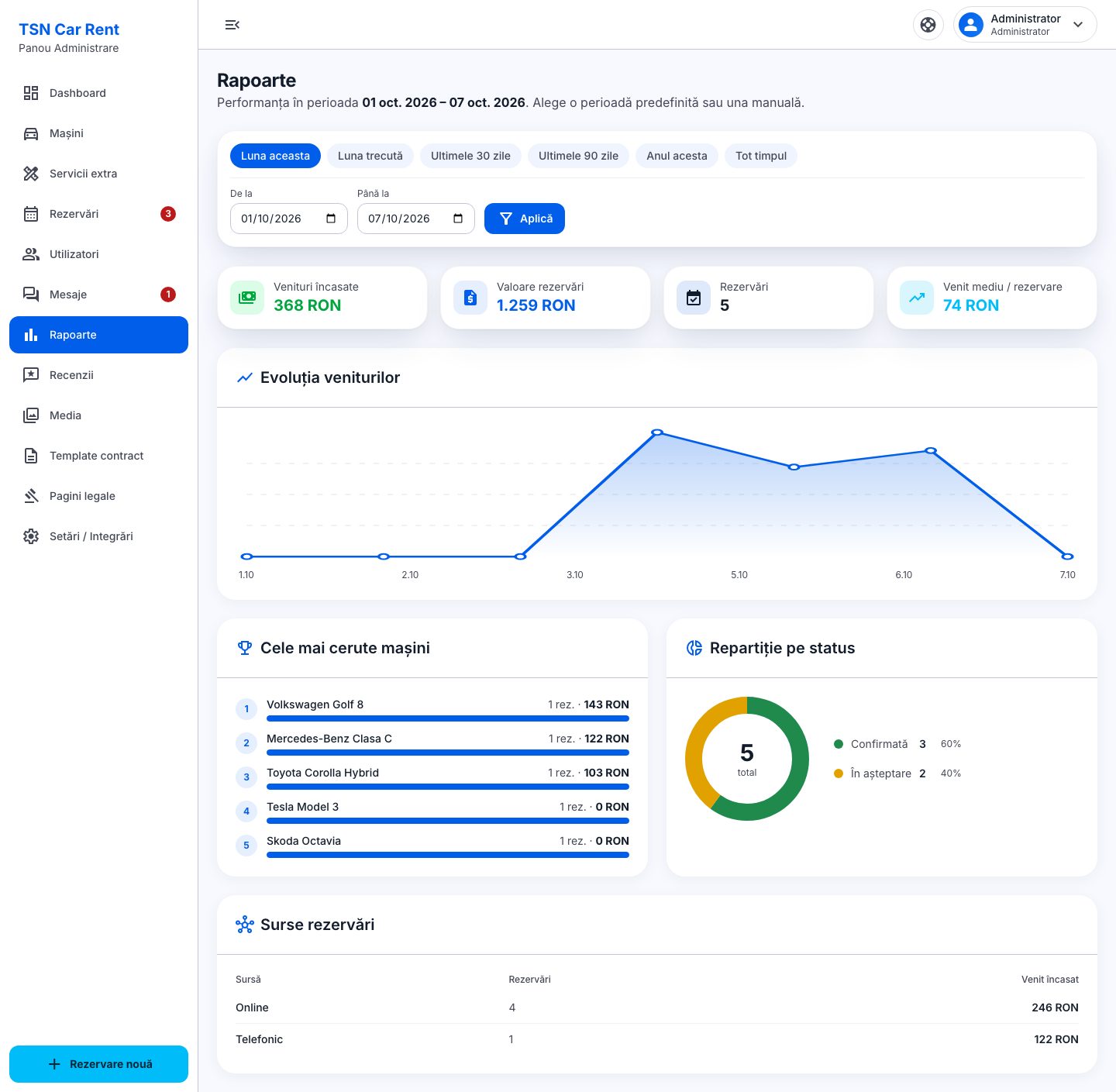
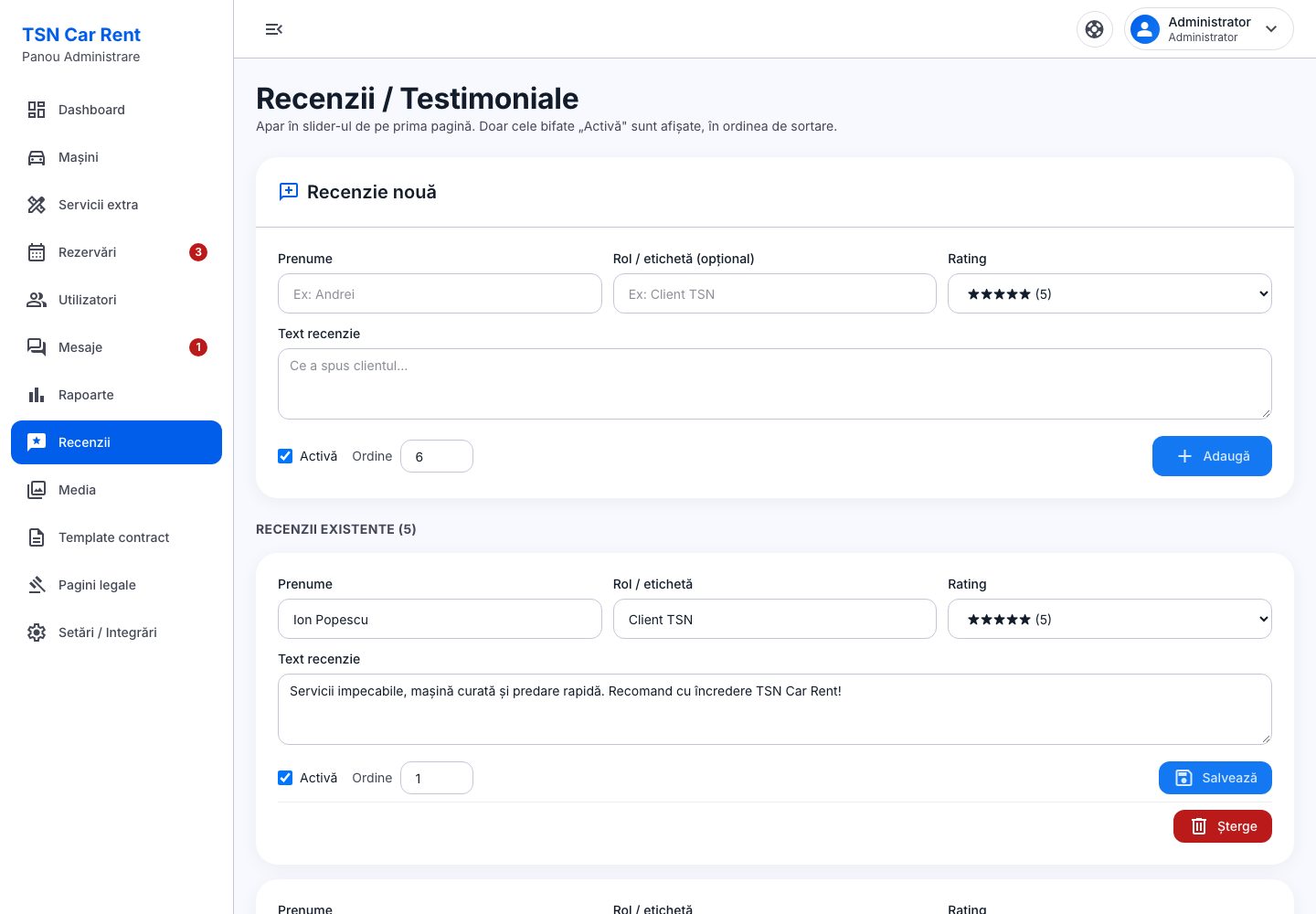
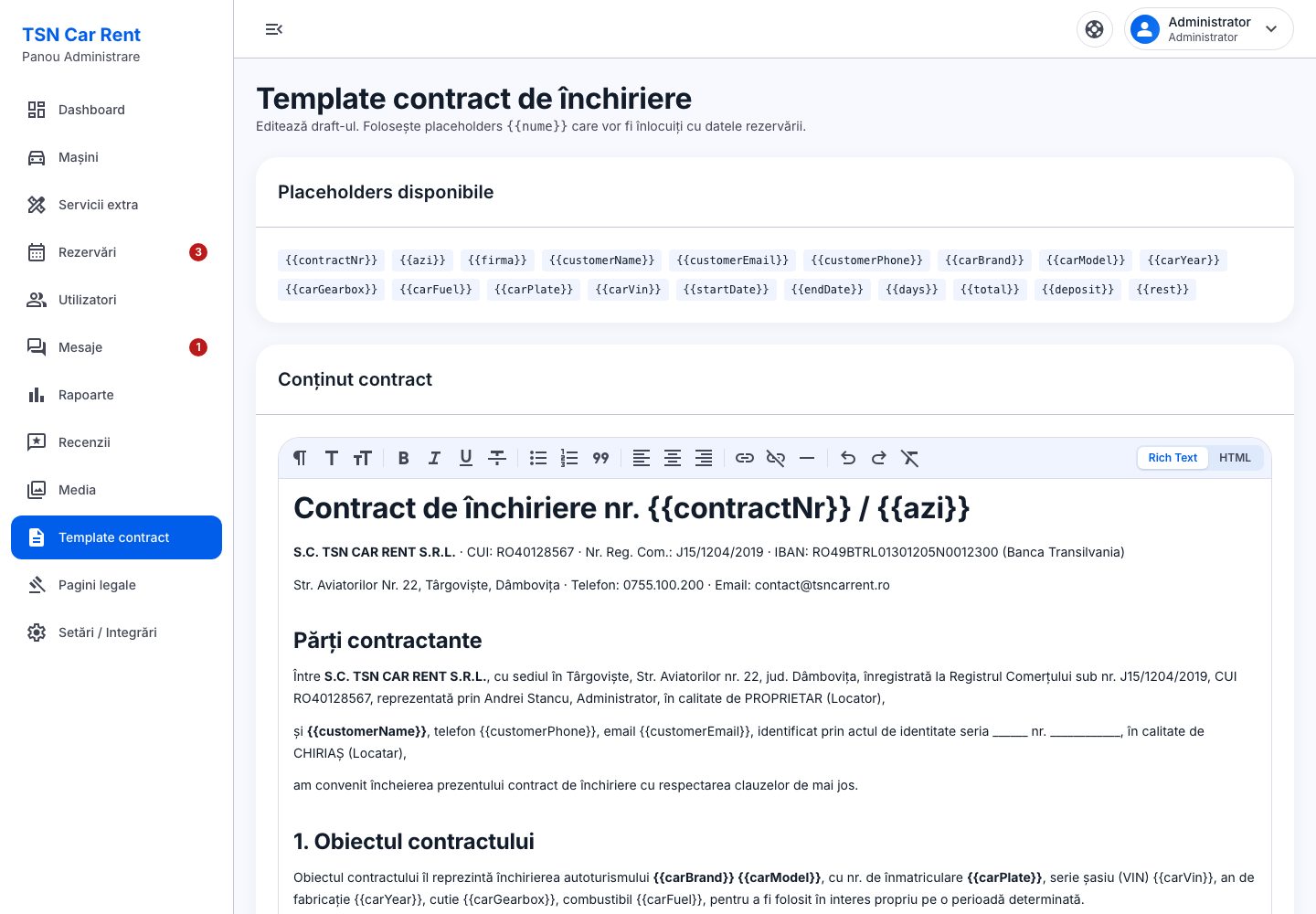
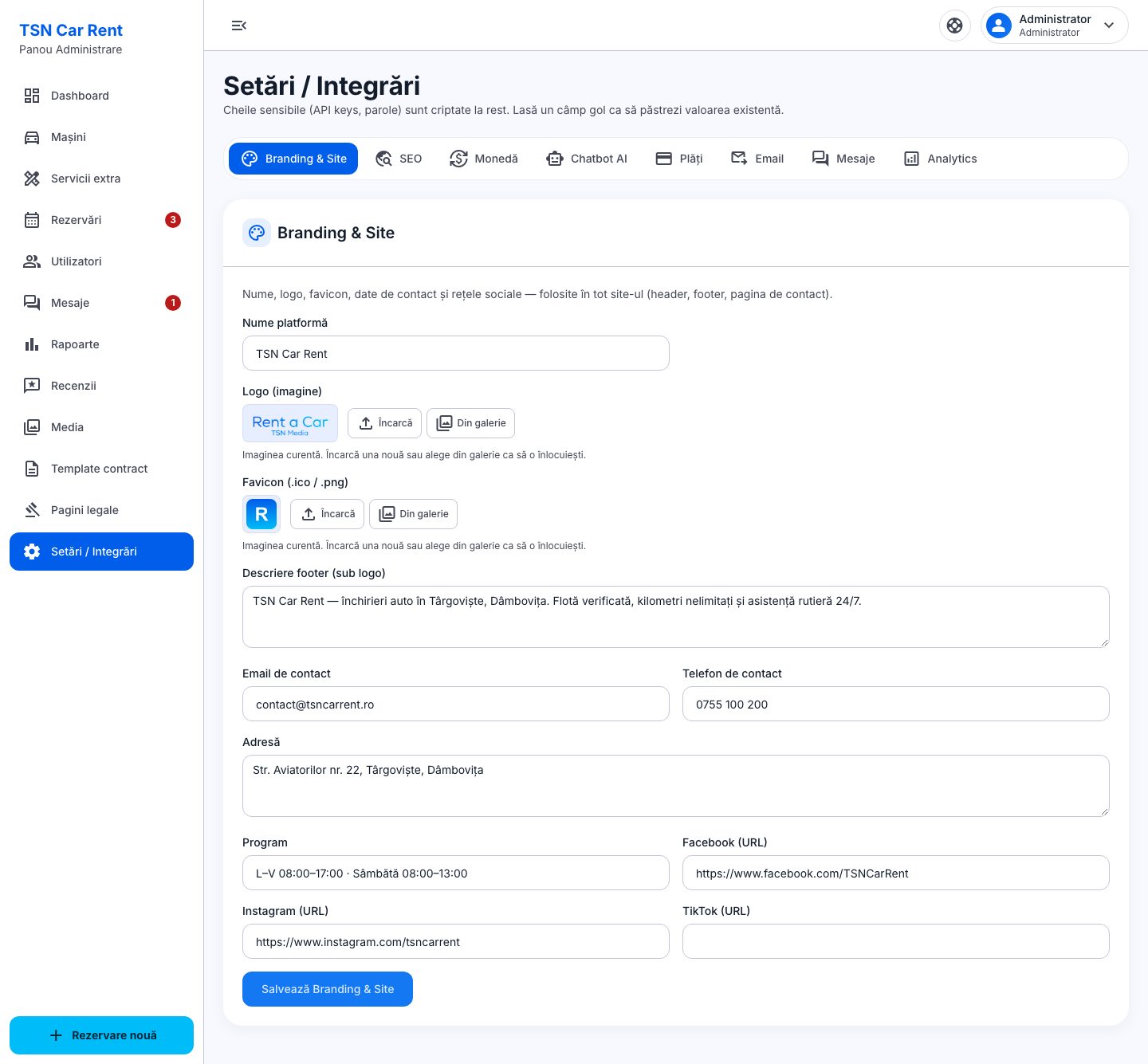
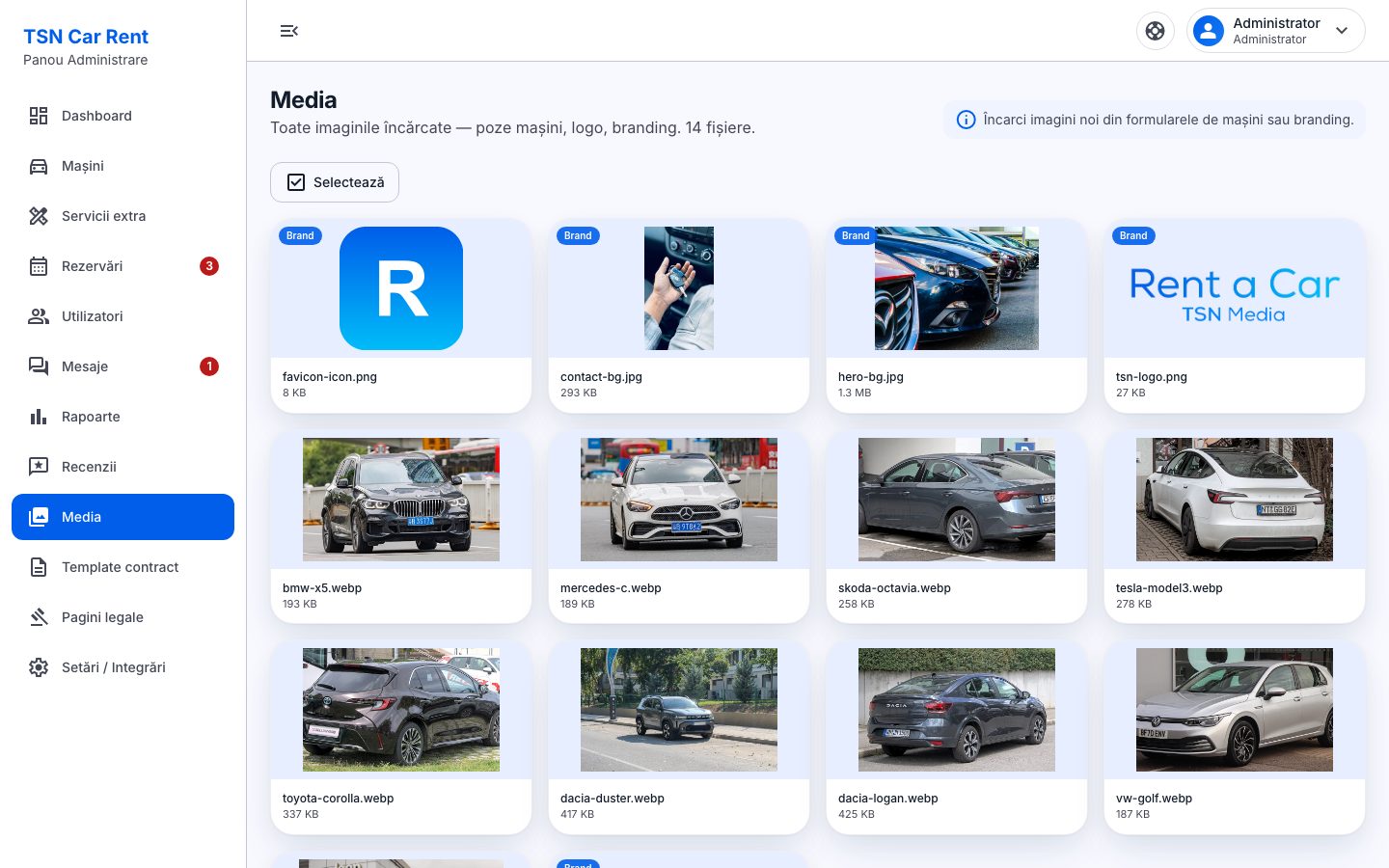
The rest of the panel, in short
Just as good on your phone
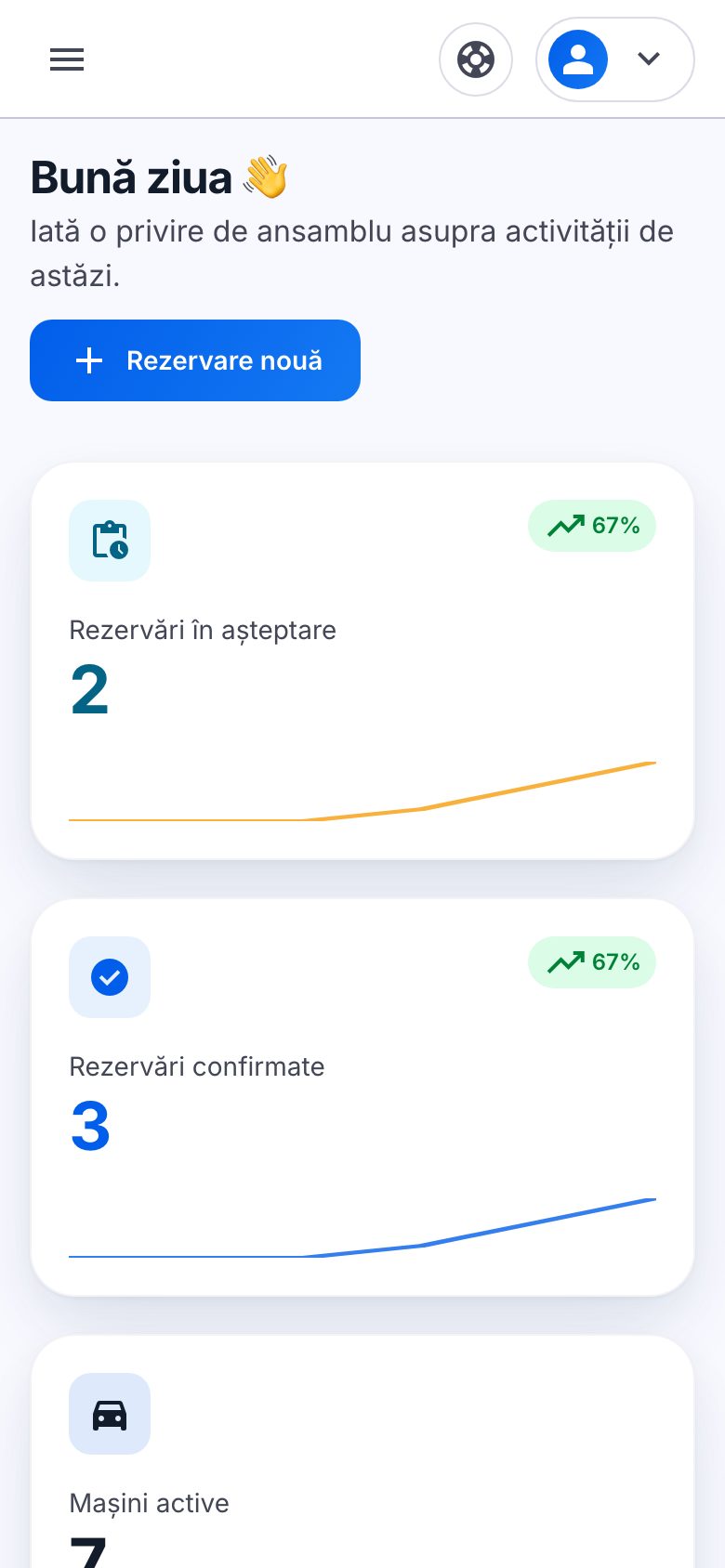
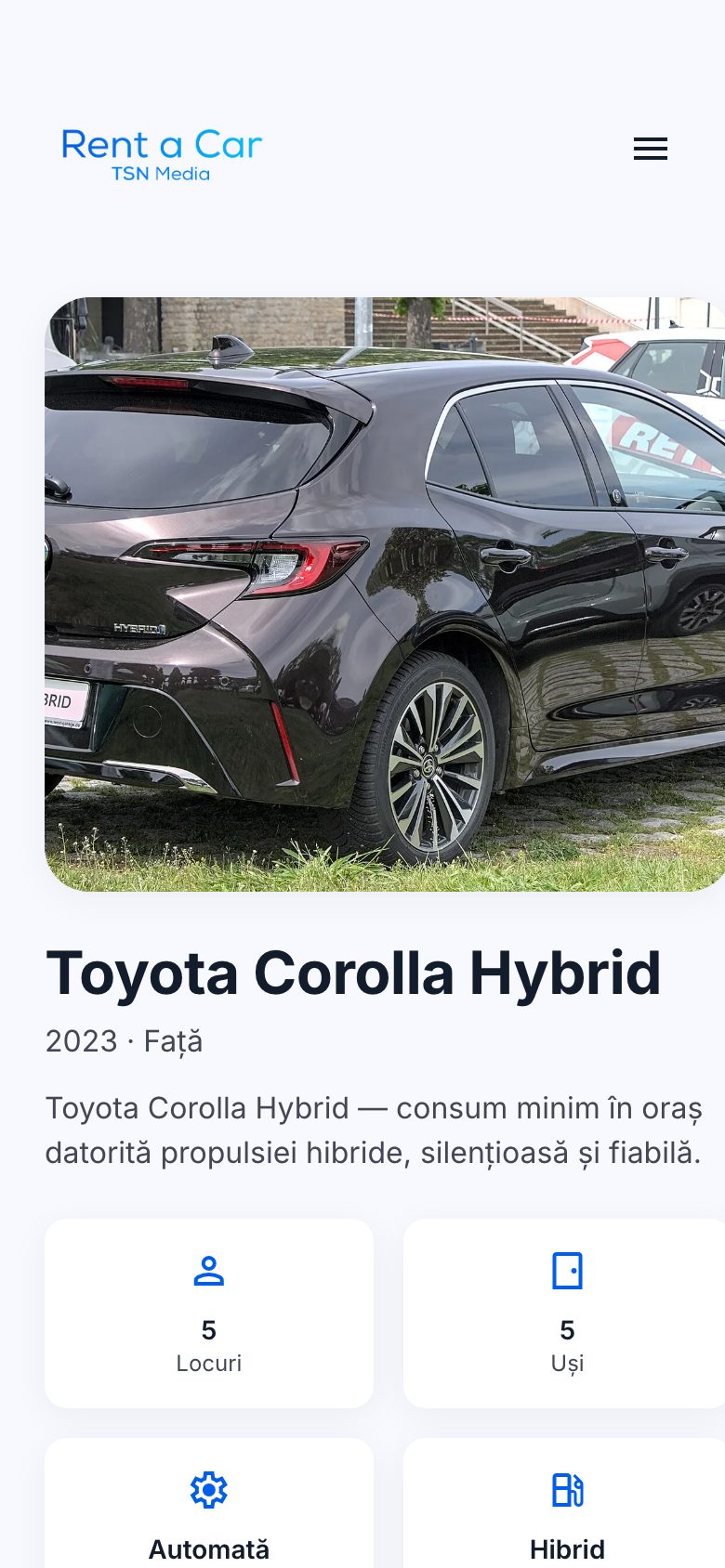
Clients book from their phones, and managers approve requests from the car or on the go. All three areas are optimized for small screens.
Public site
Car details
Client account
Manager panel
What's under the hood
Beyond the screens, the platform includes everything needed to make it work for your business—not just look good in a presentation.
Online payments
Card payments via Netopia, with deposit and balance tracked automatically for each booking.
Contracts and documents
Contract templates with auto-filled fields, export to Word and PDF, upload signed contracts and invoices.
Automated emails
Booking confirmations, status updates, and password recovery, sent via your own SMTP.
Roles and security
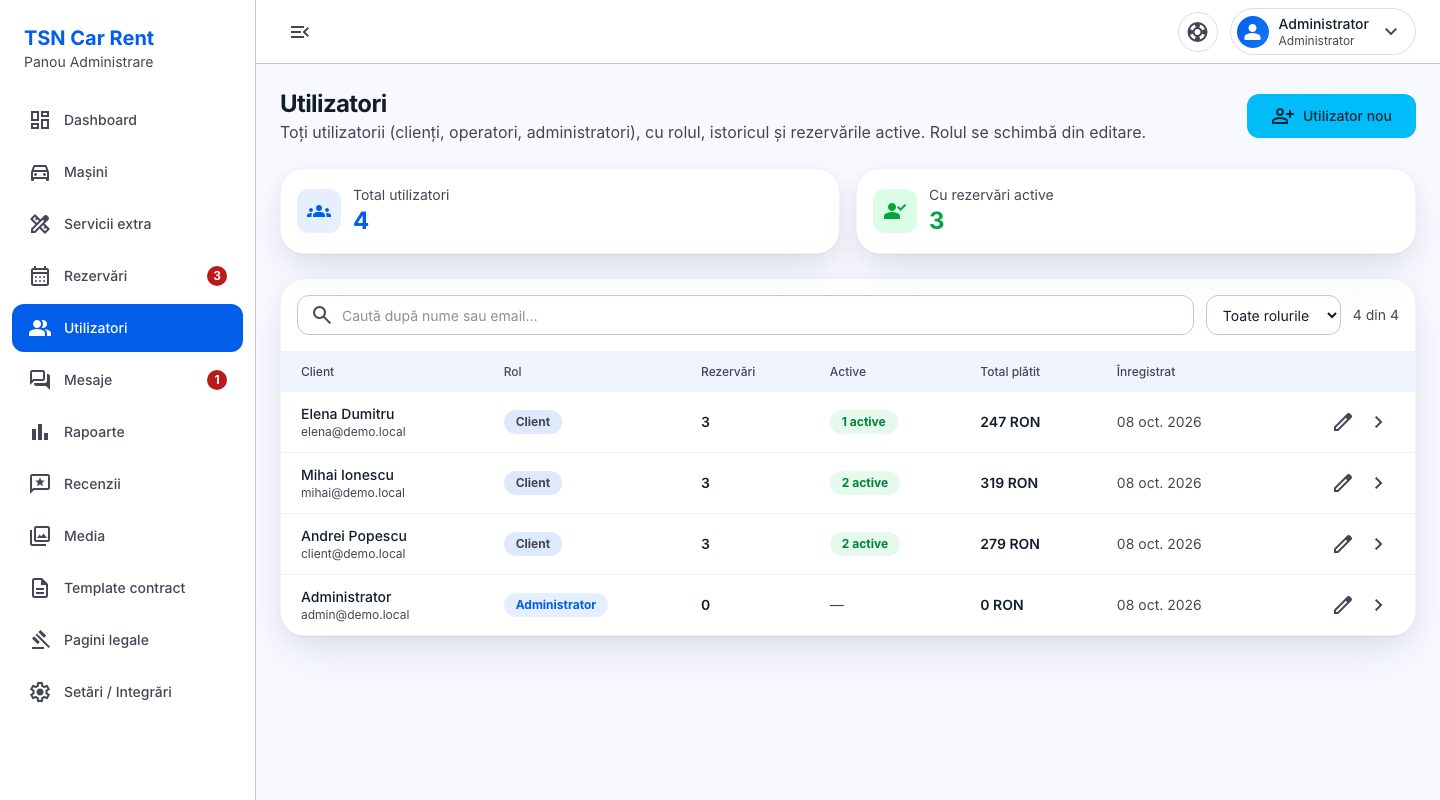
Three access levels: client, operator, and administrator. Encrypted passwords and activation links with expiration.
Assignment and reporting
Each booking and message keeps the traffic source (UTM), so you can see which campaigns bring in clients
SEO, legal, and GDPR
Editable legal pages, cookie consent, sitemap, titles and descriptions configurable from the dashboard
How we build a platform like this
Every project starts with a conversation about your processes, not a ready-made template
Discussion and analysis
We start with how your company works: fleet, rates, schedule, and what’s holding you back right now
Design and structure
We define the pages, booking flow, and what each role can do, before writing any code
Development
We build the public site, client account, and admin panel, with checks at every stage
Launch and training
We go live, import your fleet, and show you how to manage everything yourself
Support
We stay close after launch: fixes, improvements, and new features
Who it’s for
For car rental companies still managing bookings by phone, WhatsApp, or Excel tables who want their own site with real online booking, plus a dashboard to see everything that’s happening
Pricing
The price depends on the number of cars, required features, and integrations (online payments, electronic signature, SMS). We set it after a short, no-commitment call.
Let’s talk
Let’s build your website
Tell us briefly what you need. We’ll get back to you the same business day with questions and an estimate.